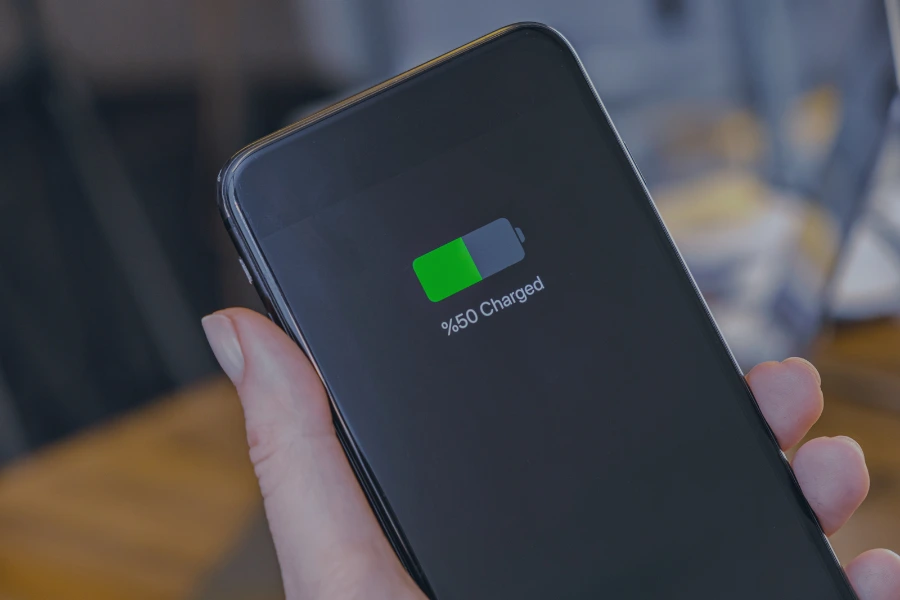
Your phone used to last all day, but now you’re reaching for the charger by midafternoon. Sound familiar? A phone battery that drains too quickly can be frustrating, but it doesn’t always mean you need a new device.
Screen brightness, background apps, charging habits, and temperature can all affect battery performance. Making a few adjustments can help your phone last longer between charges while protecting its battery over time.
When a phone can no longer be repaired or used, EACR Inc. provides cell phone recycling services to help recover materials from outdated devices and their batteries.
Quick Answer: How Can You Make Your Phone Battery Last Longer?
The easiest way to extend your phone’s battery life is to reduce unnecessary power consumption and practice better charging habits.
Here are eight changes that can make a difference:
- Lower Screen Brightness: Reduce the amount of power your display consumes.
- Enable Low Power Mode: Limit background activity and unnecessary features.
- Check Battery Usage: Identify apps draining the most energy.
- Limit Background Activity: Restrict apps that don’t need constant updates.
- Use Dark Mode: Reduce display power consumption on OLED screens.
- Avoid Excessive Heat: Protect battery performance and long-term health.
- Enable Optimized Charging: Reduce the time your battery spends fully charged.
- Update Your Software: Install updates that may fix battery-draining bugs.
Some changes improve battery life immediately, while others help slow battery wear over time.
Battery Life vs. Battery Health: What’s the Difference?
Before adjusting your phone’s settings, it’s helpful to understand the difference between battery life and battery health.
- Battery Life: How long your phone operates before needing another charge. This depends on factors such as screen brightness, apps, connectivity, and daily usage.
- Battery Health: How much energy your battery can hold compared with when it was new. Battery health gradually declines as the battery ages.
For example, lowering screen brightness can help your phone last longer today, while avoiding excessive heat can help preserve its capacity over several years.
The lifespan of a phone battery depends on charging cycles, temperature, usage habits, and battery chemistry. Most modern smartphones use rechargeable lithium-ion batteries, although the types of cell phone batteries and their construction can vary by device.
8 Ways to Make Your Phone Battery Last Longer Each Day
If your phone struggles to make it through the day, start with these practical settings. Most take only a few seconds to change and don’t require installing additional apps.
1. Turn On Low Power Mode or Battery Saver
One of the quickest ways to extend battery life is to use your phone’s built-in power-saving feature.
On an iPhone, this is called Low Power Mode. Android phones typically offer Battery Saver or Power Saving Mode.
These features reduce unnecessary background activity, automatic downloads, visual effects, and other functions that consume power.
You can usually find them under your phone’s Battery settings or quick-access controls. They’re especially useful when your battery is running low and you won’t have access to a charger.
2. Lower Your Screen Brightness
Your phone’s display can consume a significant amount of battery power, especially when brightness is set near its maximum.
Lowering brightness to a comfortable level can help extend the time between charges.
You can also enable automatic or adaptive brightness, which adjusts your screen based on surrounding lighting conditions.
This allows your phone to use a brighter display when needed without keeping it at maximum brightness throughout the day.
3. Reduce Screen Timeout and Always-On Display
Your screen continues using power whenever it remains illuminated, even if you’re not actively using your phone.
Consider reducing your screen timeout to approximately 30 seconds so the display turns off sooner when left unattended.
If your phone supports Always-On Display, disabling that feature may also reduce battery consumption.
These adjustments are particularly useful for people who frequently check notifications or leave their phones sitting with the screen on.
4. Use Dark Mode When It Makes Sense
Dark mode changes supported apps and interfaces to darker backgrounds, which can reduce battery consumption on certain displays.
Phones with OLED or AMOLED screens can use less power when displaying dark pixels because those pixels require less illumination.
However, dark mode doesn’t provide the same savings on every screen.
The benefits depend on your display technology, brightness settings, and how you use your phone.
5. Check Which Apps Use the Most Battery
Sometimes, a single app is responsible for unusually high battery consumption.
Games, video applications, navigation tools, and apps running constantly in the background can use substantial power.
Both iPhones and Android phones provide battery usage information within their settings.
Review which apps consume the most energy and look for anything unusual.
If an app you rarely use is draining your battery, consider adjusting its permissions, updating it, or uninstalling it. There’s no need to constantly force-close every app.
6. Limit Unnecessary Background Activity
Some apps continue working even when you’re not actively using them.
They may refresh content, check your location, synchronize information, or download updates.
Review your phone’s background app settings and restrict unnecessary activity where appropriate.
For example, a shopping app probably doesn’t need continuous location access, while a navigation app may need location permissions when you’re using it.
The goal is to reduce unnecessary power consumption without disabling important notifications or essential features.
7. Manage Connectivity and Unused Features
Wireless connections and location services can also affect battery life, particularly when your phone is constantly searching for a signal.
Consider limiting unnecessary features such as:
- Personal hotspots when you’re not sharing your connection
- Continuous location access for apps that don’t need it
- Unnecessary nearby-device scanning
- Bluetooth accessories that aren’t being used
- Cellular activity in areas with consistently weak reception
You don’t need to turn off every wireless feature. In fact, Wi-Fi often uses less power than cellular data under comparable conditions.
Focus on features that are actively consuming energy rather than disabling everything.
8. Keep Your Phone’s Software Updated
Software updates aren’t just about new features. They can also address bugs, improve compatibility, and fix problems affecting battery performance.
Keep your phone’s operating system and frequently used apps updated.
If you notice unusual battery drain, restarting your phone may also help resolve temporary software issues.
After a major update, battery usage can temporarily increase while the device completes background tasks. Give it some time before assuming the update has permanently affected battery life.
Charging Habits That Help Your Phone Battery Last Longer
Adjusting your settings can help your phone last through the day, but your charging habits also affect how well the battery performs over time.
Avoid Excessive Heat
Heat is one of the biggest contributors to lithium-ion battery degradation.
Leaving your phone in a hot car, placing it in direct sunlight, or charging it under blankets and pillows can expose the battery to unnecessary heat.
Demanding activities such as gaming or recording high-resolution video while charging can also increase device temperature.
If your phone becomes unusually hot, stop demanding activities and allow it to cool in a safe location. Avoid charging a device that’s overheating.
Enable Optimized or Adaptive Charging
Many modern smartphones include charging features designed to help preserve battery health.
These settings can reduce the amount of time your phone spends fully charged or limit charging to a selected percentage.
Common examples include:
- Apple: Optimized Battery Charging and adjustable charging limits on supported iPhones.
- Samsung: Battery Protection settings on supported Galaxy devices.
- Google Pixel: Adaptive Charging and charging limits on supported models.
These features are generally available within Battery settings, although their names and availability vary by phone and software version.
Enabling them can help reduce unnecessary battery wear without requiring you to constantly monitor your charge level.
Follow the 20–80% Rule When Practical
You may have heard that keeping your phone between 20% and 80% battery helps extend its lifespan.
There’s some truth to this. Lithium-ion batteries can experience less wear when they avoid spending extended periods at very high or very low charge levels.
However, you don’t need to follow these percentages perfectly.
Charging to 100% before a long day is completely reasonable. The goal is to reduce unnecessary battery stress over time, not make charging your phone inconvenient.
Use Compatible Chargers and Charging Accessories
Use charging equipment designed for your phone and compatible with its charging requirements.
Manufacturer-approved or appropriately certified chargers and cables are generally the safest options.
Avoid damaged charging cables, loose connectors, or accessories that cause unusual heat during charging.
Fast charging is supported by many modern smartphones, and their charging systems are designed to manage compatible charging speeds. However, excessive heat can still contribute to battery wear.
Avoid Regularly Draining Your Phone to 0%
Modern lithium-ion batteries don’t need to be completely drained before recharging.
In fact, regularly allowing the battery to become fully depleted can contribute to unnecessary wear.
It’s perfectly fine to recharge your phone when it reaches 30%, 40%, or another convenient level.
If you’re storing an unused phone for an extended period, follow the manufacturer’s storage recommendations rather than leaving the battery completely discharged.
When Should You Replace Your Phone Battery?
A phone that struggles to hold a charge doesn’t necessarily need to be replaced. Sometimes, installing a new battery is enough to restore reliable daily performance.
Signs Your Battery May Need Replacing
Common warning signs include:
- Your battery drains much faster than it used to.
- Your phone unexpectedly shuts down.
- Battery health shows significantly reduced capacity.
- The phone no longer holds enough charge for normal daily use.
- Battery problems continue despite adjusting settings and updating software.
A swollen, leaking, or overheating battery is a more serious concern. Stop using or charging the device and arrange professional assessment rather than attempting to remove the battery yourself.
Is Replacing the Battery Better Than Buying a New Phone?
If your phone still works well, replacing its battery may be more practical than purchasing an entirely new device.
A professional battery replacement can extend the phone’s useful life without requiring you to replace its screen, processor, cameras, and other functional components.
Consider the repair cost, overall condition, and available software support before deciding whether to repair or replace your phone.
How Extending Phone Battery Life Reduces E-Waste
Keeping your phone functional for longer doesn’t just save you the cost of buying another device. It can also help reduce electronic waste.
Manufacturing smartphones requires metals, minerals, energy, and other resources. Replacing a functional phone prematurely creates additional demand for new materials and manufacturing.
The scale of discarded devices becomes clearer when looking at cell phone recycling statistics, especially as smartphones continue to be replaced and upgraded.
Taking care of your battery, repairing damaged components, and replacing worn batteries when practical can help extend a phone’s useful life.
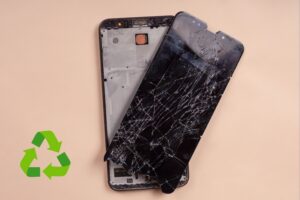
Eventually, every device reaches a point where repair is no longer practical. At that stage, recycling becomes important.
Many recyclable cell phone parts, including certain metals, circuit boards, and battery materials, can be processed through specialized recycling programs.
Frequently Asked Questions About Phone Battery Life
How Can I Make My Phone Battery Last Longer?
Lower your screen brightness, enable Low Power Mode or Battery Saver, limit unnecessary background activity, and check which apps consume the most power. Avoiding excessive heat and using optimized charging can also help protect long-term battery health.
What Drains a Phone Battery the Fastest?
Activities such as gaming, video streaming, GPS navigation, and using a bright display can consume substantial battery power. Background apps and weak cellular reception may also contribute to faster battery drain.
Is Charging Your Phone Overnight Bad for the Battery?
Modern smartphones have charging management systems that prevent normal overcharging, so overnight charging is generally safe when using compatible equipment. Optimized charging features can help reduce the time the battery spends at full charge, and the phone should remain in a cool, ventilated location.
Should I Charge My Phone to 100% Every Time?
You can charge your phone to 100% whenever you need the extra battery life. However, avoiding prolonged periods at full charge may help reduce battery wear over time.
Does Dark Mode Actually Save Battery?
Yes, dark mode can reduce power consumption on OLED and AMOLED displays because darker pixels use less energy. The amount saved depends on screen technology, brightness, and usage.
Is Fast Charging Bad for Phone Battery Health?
Supported fast charging is generally safe because modern phones manage charging speed and temperature. However, excessive heat during charging can contribute to long-term battery degradation.
Is It Better to Use Wi-Fi or Mobile Data for Battery Life?
Wi-Fi often uses less battery power than cellular data under comparable conditions, especially in areas with weak mobile reception. Actual consumption depends on signal strength and what you’re doing on your phone.
How Do I Know When My Phone Battery Needs Replacing?
A battery may need replacement if it drains unusually quickly, causes unexpected shutdowns, or has significantly reduced capacity. Persistent problems after troubleshooting are another reason to consider professional battery service.
Make Your Phone Last Longer Before Recycling It
Making your phone battery last longer doesn’t require complicated changes. Lowering screen brightness, managing background apps, avoiding excessive heat, and following better charging habits can improve daily performance while helping preserve battery health.
When your battery starts wearing out, consider professional replacement before buying an entirely new phone.
When it’s finally time to retire your device, EACR Inc. provides cell phone recycling services to help individuals, businesses, and organizations recycle outdated phones and recover usable materials.