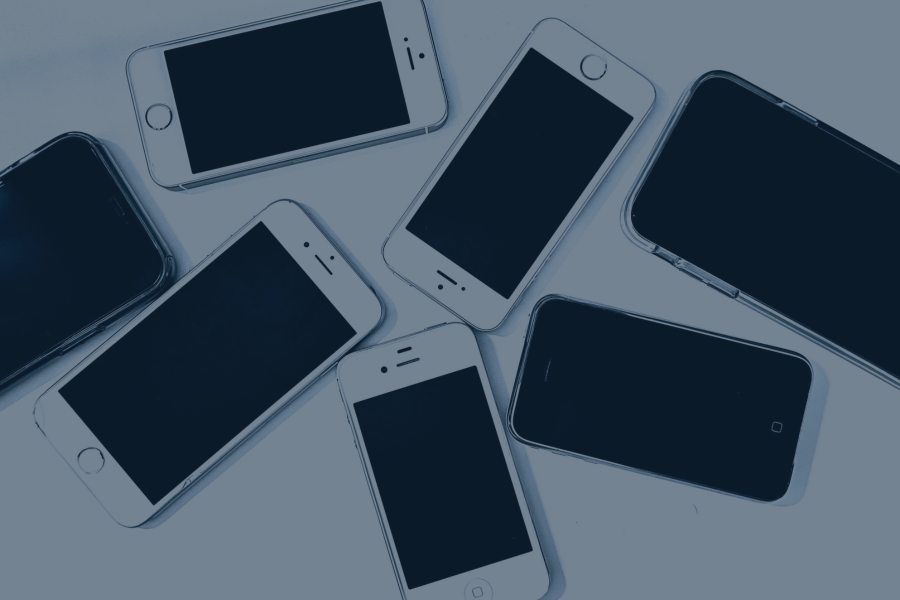
Phones and tablets store far more sensitive information than most people realize. Passwords, banking apps, photos, emails, saved documents, business logins, and medical or financial information can all remain tied to a device long after someone stops using it. Simply deleting files or factory resetting a phone does not always fully destroy the data, especially if information is still recoverable through device storage, backups, cached files, or connected accounts.
That is why proper mobile device disposal matters for individuals, businesses, schools, and healthcare organizations. An old phone or tablet can create real risks, including identity theft, data breaches, compliance problems, and unauthorized access to private information. If you need help from a cell phone recycling company, learn how our cell phone and tablet recycling services securely handle old mobile devices through responsible recycling and data destruction processes.
Mobile Devices Store Massive Amounts of Sensitive Data
Personal information often remains on old phones
Old phones can hold years of personal information. Saved passwords, photos, videos, banking apps, emails, browser history, and social media logins may still be connected to the device even after it is no longer being used.
This is why tossing an old phone in a drawer, donating it without preparation, or throwing it in the trash can be risky. If the device ends up in the wrong hands, someone may be able to access private accounts, personal images, financial information, or other sensitive details.
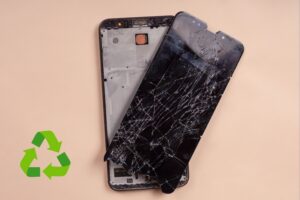
Even a phone that seems broken may still contain recoverable storage. A cracked screen, dead battery, or outdated operating system does not automatically mean the data is gone.
Business phones can contain highly sensitive company data
For businesses, old mobile devices can create even bigger risks. Employee phones may contain internal messages, client records, saved documents, cloud access credentials, and business applications that connect directly to company systems.
Many mobile devices also use multi-factor authentication apps. If those apps are not removed or the device is not properly wiped, an old phone could still create an access risk for email, software platforms, financial tools, or internal networks.
This matters for any organization managing employee devices, company-issued phones, field tablets, or mobile equipment used by sales teams, technicians, healthcare staff, or administrators.
Tablets often store educational and healthcare information
Tablets are often used in settings where sensitive information is easy to overlook. Schools may use tablets for student accounts, assignments, testing platforms, and learning apps. Healthcare offices may use tablets for patient intake forms, scheduling, billing, or digital records.
Shared-use tablets can also store cached logins, browsing activity, saved forms, and app data from multiple users. In healthcare environments, this can raise HIPAA concerns if patient information is not properly removed before the device is recycled, reassigned, or disposed of.
Whether the tablet was used by one person or hundreds of people, it should be treated as a data-bearing device.
Deleting Data is Not the Same as Destroying It
Factory resets do not always fully erase data
A factory reset can be helpful, but it is not always the same as complete data destruction. Some devices may still contain recoverable residual data, especially if the reset was not completed correctly or if the device uses flash memory that requires specialized handling.
Metadata can also remain behind. This may include details about files, accounts, timestamps, usage activity, or app history. While a factory reset may make the device look clean to the average user, that does not always mean the underlying data is permanently unrecoverable.
For personal devices, that is a privacy issue. For businesses, it can become a compliance and liability issue.
Deleted files can sometimes still be recovered
Deleting a file usually removes the visible reference to that file, not always the data itself. With recovery software, cached data, backup remnants, or synced cloud accounts, deleted information may still be accessible in certain situations.
This is especially important for phones and tablets because they are deeply connected to cloud platforms. Photos, emails, documents, messages, and app data may exist across the device, backups, and online accounts.
Before a mobile device leaves your control, it is important to think beyond what is visible on the screen. The real concern is what may still be stored, synced, cached, or recoverable.
Mobile devices require specialized destruction methods
Phones and tablets are not the same as traditional hard drives. Most modern mobile devices use flash storage, which behaves differently from older magnetic drives. That means certain methods used for hard drives may not apply the same way to smartphones or tablets.
Mobile devices may require proper wiping, account removal, encryption checks, battery handling, or physical destruction depending on the device condition and data sensitivity.
For devices that may be reused, secure wiping may be appropriate. For damaged, outdated, or highly sensitive devices, physical destruction may be the safer option. The key is choosing the right process for the device and the data it may contain.
Risks of Improper Mobile Device Disposal
Identity theft and fraud
Improperly discarded phones can expose financial information, saved passwords, banking apps, tax documents, emails, and personal account details. If someone gains access to that information, they may be able to reset passwords, access accounts, make unauthorized purchases, or steal someone’s identity.
Even small pieces of information can be used together. A name, address, birthdate, email account, and saved login can be enough to create serious problems for the original owner.
Business and legal consequences
For businesses, poor mobile device disposal can lead to data breaches, compliance violations, reputation damage, lawsuits, and fines. A single forgotten phone or tablet may contain customer records, employee information, internal files, or login credentials that should never leave the organization unsecured.
Industries like healthcare, finance, education, legal, and government need to be especially careful because they often handle regulated or confidential information. However, every business should have a clear process for mobile device retirement.
Secure data destruction is not just an IT task. It is part of protecting customers, employees, business operations, and public trust.
Environmental concerns from discarded phones
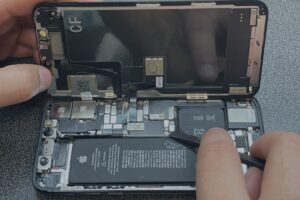
Phones and tablets are also environmental concerns when they are thrown in the trash. They can contain lithium batteries, circuit boards, wiring, metals, plastics, glass, and other electronic components that should be handled through proper e-waste recycling.
Lithium batteries can pose fire risks if damaged or mishandled. Circuit boards and electronic components should be routed through responsible recycling channels instead of ending up in landfills.
Proper mobile device recycling helps reduce e-waste, supports material recovery, and keeps old electronics out of the regular waste stream.
Old phones create more than just data security risks. Mobile devices also contribute to growing e-waste and environmental concerns when they are improperly discarded. Explore our guide on the environmental impact of cell phones to learn how smartphones affect waste, resource demand, and electronics recycling efforts.
How Secure Mobile Device Data Destruction Works
Data wiping and overwriting
Data wiping uses specialized software to overwrite information stored on a phone, tablet, or other mobile device. Instead of just deleting visible files, wiping is designed to make the original data unreadable and much harder to recover.
In some cases, multi-pass wiping may be used. This means the software overwrites the device storage more than once to reduce the chance of recovery. The right method depends on the device type, storage condition, and how sensitive the data is.
Data wiping is often useful when a device may still be reused, resold, donated, or redeployed within an organization. If the phone or tablet still works and can be safely cleared, wiping helps protect the previous owner while keeping the device in circulation.
Physical destruction for highly sensitive devices
For devices that are damaged, outdated, unusable, or too sensitive to reuse, physical destruction may be the safer option. This can include shredding, crushing, or other destruction methods that make the storage components unreadable.
Physical media destruction is often used when businesses, schools, healthcare providers, or government organizations need stronger security controls. It gives organizations a clear end-of-life solution for devices that should not be reused.
This is especially important for phones and tablets that held regulated data, confidential business information, financial records, patient information, or employee records. If the device no longer has a practical reuse path, destruction helps close the security gap.
Documentation and compliance tracking
Secure data destruction should not stop at the device itself. Businesses also need documentation that shows what was handled, when it was processed, and how the data was destroyed.
Certificates of recycling help create a paper trail for compliance, audits, and internal recordkeeping. For companies managing large numbers of mobile devices, this recordkeeping matters. It supports accountability, reduces confusion, and helps prove that old devices were not simply discarded without a secure process.
Who Needs Mobile Device Data Destruction?
Businesses replacing employee phones
Businesses often replace employee phones on a regular upgrade cycle. Without a clear disposal plan, old devices can pile up in closets, desk drawers, storage rooms, or IT departments.
Fleet device management makes this even more important. If a company manages dozens, hundreds, or thousands of mobile devices, each one can contain emails, files, apps, client information, login credentials, or access to cloud systems.
BYOD policies can also create risk. When employees use personal devices for work, businesses need clear rules for account removal, app access, and data protection before devices are sold, traded in, recycled, or reassigned.
Schools and universities
Schools and universities often use tablets for classrooms, testing, student accounts, learning apps, and shared technology programs. These devices may pass through many hands over time.
Student tablets can store names, login details, schoolwork, browsing data, app activity, and other account-based information. Shared-use devices may also contain cached logins or saved files from multiple users.
IT departments are responsible for making sure old or damaged devices are properly wiped, tracked, recycled, or destroyed. A clear mobile device data destruction process helps protect students, staff, and the institution.
Healthcare and financial organizations
Healthcare and financial organizations face higher risks because their devices may contain regulated information. A tablet used for patient intake, billing, scheduling, or records access may involve HIPAA-sensitive data.
Financial organizations may have devices connected to banking apps, customer records, payment systems, tax documents, or internal reporting tools. If that information is not destroyed correctly, the organization may face regulatory, legal, and reputational consequences.
For these industries, mobile device data destruction is not just a best practice. It is part of responsible compliance and risk management.
Everyday consumers
Everyday consumers need mobile device data destruction too. Old phones in drawers may still contain photos, texts, saved passwords, emails, payment apps, and personal documents.
Selling or donating a device without properly preparing it can expose private information to the next person who handles it. Even if the device seems dead, broken, or outdated, the storage may still be recoverable.
Before recycling an old phone or tablet, consumers should remove accounts, back up anything they want to keep, reset the device, and use a responsible recycling option that understands data-bearing electronics.
Why Recycling and Data Destruction Should Work Together
Secure disposal protects both data and the environment
Mobile device disposal should protect more than just the device owner. It should also protect the environment. Phones and tablets contain data-bearing components, batteries, circuit boards, metals, plastics, and glass that should be processed responsibly.
When data destruction and recycling work together, devices can be handled securely before entering the recycling stream. This reduces the risk of personal or business information being exposed while also keeping electronics out of the trash.
Responsible recycling supports material recovery, proper battery handling, and electronics processing. It gives old devices a safer path forward instead of letting them sit in storage or end up in a landfill.
Choosing a licensed electronics recycler matters
Choosing a licensed electronics recycler helps ensure mobile devices are handled through a controlled process. That means proper downstream handling, data security procedures, compliance support, and business accountability.
A recycler that understands mobile devices can help determine whether equipment should be wiped, reused, dismantled, or physically destroyed. This is especially important for businesses managing bulk devices or regulated information.
The right recycling partner does more than collect old phones. They help protect your data, document the process, and route materials through responsible recovery channels.
Conclusion
Phones and tablets can contain sensitive data long after people stop using them. Deleting files alone is not enough, and even a factory reset may not fully address every risk. Proper mobile device data destruction helps prevent data breaches, identity theft, unauthorized access, and costly mistakes.
As a cell phone recycling company and electronics recycling provider, EACR helps customers safely recycle old phones, tablets, and mobile devices with secure data destruction support. Contact our team to safely recycle old phones, tablets, and mobile devices with secure data destruction services.