Most people keep old phones far longer than they should. Over time, phones slow down, batteries weaken, storage fills up, apps stop working properly, and outdated devices can become security risks. Many people also keep broken or outdated phones sitting in drawers without realizing those devices still contain batteries, personal data, and reusable materials.
Eventually, there comes a point where repairing or storing an old phone no longer makes sense. Performance issues, safety concerns, unsupported software, and physical damage can all be signs that it is time to move on. If you have outdated or damaged devices piling up, explore our cell phone and tablet recycling services or electronics recycling services to safely dispose of old mobile devices.
Your Battery Drains Extremely Fast
The phone barely lasts a few hours
A weak battery is one of the clearest signs your old phone is nearing the end of its useful life. If your phone used to last all day but now needs to be charged by lunch, the battery may be heavily degraded.
Lithium-ion batteries lose capacity over time. After hundreds of charging cycles, they simply cannot hold the same amount of power they once did. That is why older phones often need to be charged multiple times per day, even with light use.
At a certain point, replacing the battery may not be worth it, especially if the phone also has outdated software, slow performance, or other hardware problems.
Swelling or overheating can become a safety concern
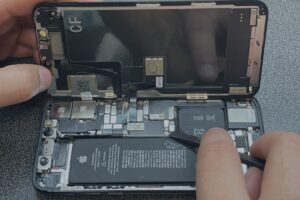
A phone that feels unusually hot, shuts down from heat, or has a swollen battery should not be ignored. Battery swelling can push against the screen or back cover, causing the device to bulge, crack, or separate.
Overheating and swelling may point to a damaged battery. In some cases, damaged lithium-ion batteries can create fire risks if they are punctured, crushed, charged improperly, or thrown into regular trash.
If your phone shows signs of battery damage, stop using it casually and avoid storing it somewhere hot, crowded, or flammable.
The Phone Has Become Extremely Slow
Apps take too long to open
Older phones often struggle to keep up with modern apps. Apps become larger, operating systems become more demanding, and aging processors may no longer have the power needed for smooth performance.
If basic tasks like opening messages, checking email, using maps, or loading a browser feel painfully slow, the device may simply be past its practical lifespan.
Lagging performance is more than annoying. It can make the phone unreliable for everyday use, especially if you depend on it for work, travel, payments, or communication.
Freezing and crashing happen constantly
Occasional glitches happen on almost any device. But if your phone freezes every day, crashes during simple tasks, randomly shuts down, or delays every touchscreen action, that is a bigger problem.
Constant freezing can point to aging hardware, software compatibility issues, storage strain, battery problems, or internal component failure.
If the phone is no longer dependable, it may be time to stop forcing it to work and consider a safer disposal option.
Your Device No Longer Receives Software Updates
Unsupported phones become security risks
When a phone stops receiving software updates, it can become more vulnerable to security threats. Updates often include patches that fix bugs, close vulnerabilities, and protect against newer risks.
An outdated operating system may still turn on and function, but that does not mean it is safe to use. If the device holds passwords, payment apps, emails, photos, work accounts, or personal information, missing security patches can become a real concern.
This is especially important for business phones, school tablets, and any device used for sensitive accounts.
Apps may stop functioning correctly
Once a phone becomes too outdated, certain apps may stop working the way they should. Banking apps, payment tools, email platforms, authentication apps, and newer software features may require a more current operating system.
You may notice apps failing to update, features disappearing, login issues, or error messages saying the device is no longer supported.
When a phone can no longer safely or reliably run the apps you need, keeping it around usually creates more frustration than value.
The Screen or Body Is Severely Damaged
Cracked screens can worsen over time
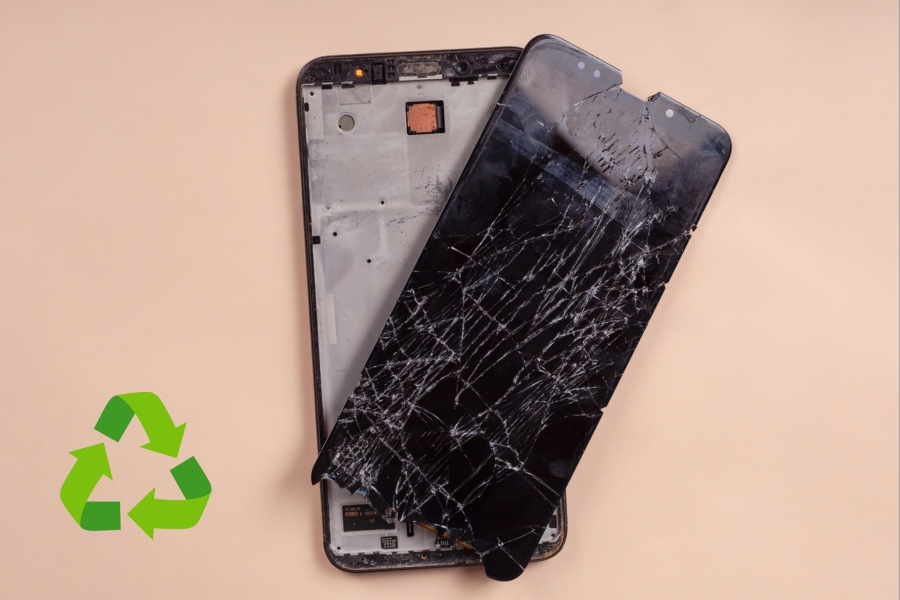
A small crack can quickly become a bigger problem. Broken glass may spread across the screen, create sharp edges, interfere with touch sensitivity, or make the display harder to read.
Severe screen damage can also expose the device to moisture, dust, and internal damage. Even if the phone still works, it may become less safe and less practical to use.
If repair costs are high and the phone is already outdated, recycling or safe disposal may make more sense than replacing the screen.
Water damage often causes hidden problems
Water damage is tricky because the phone may seem fine at first. Over time, moisture can lead to corrosion, charging issues, speaker problems, screen glitches, and internal component failure.
A phone that was dropped in water, exposed to heavy moisture, or used after liquid damage may become unreliable later. It might charge inconsistently, overheat, randomly restart, or lose touchscreen function.
Even if the outside looks normal, internal corrosion can continue spreading inside the device.
Storage Space Is Constantly Full
The phone struggles to handle modern apps
Older phones often have limited storage compared to newer devices. As apps, videos, photos, and operating system updates become larger, older storage capacities can fill up quickly.
If your phone constantly tells you there is not enough space, it may struggle to install updates, save photos, run apps, or function smoothly.
A phone that cannot handle basic storage needs may no longer be practical for daily use.
Constant storage warnings affect usability
Deleting apps, photos, videos, and messages every few days gets old fast. Constant storage warnings can slow the phone down and make simple tasks frustrating.
Full storage can also interfere with app performance, camera use, downloads, system updates, and backups.
If managing storage has become a daily chore, that is a strong sign the phone is no longer keeping up with how you use it.
Charging Problems Keep Getting Worse
Loose charging ports create reliability issues
A worn or damaged charging port can make your phone difficult to use. You may have to angle the cable a certain way, press the connector in, or try several chargers before it works.
Intermittent charging can point to a loose port, damaged internal connection, debris buildup, or deeper hardware wear.
If the phone will not charge consistently, it becomes unreliable quickly, especially when paired with an aging battery.
Wireless charging may stop working
Wireless charging can also fail as a phone ages. Internal charging components, battery issues, heat damage, or hardware wear can all affect charging performance.
If both wired and wireless charging are unreliable, the phone may no longer be worth repairing.
Charging problems can also create safety concerns if the phone gets hot, shuts down unexpectedly, or only charges when handled a certain way.
Calls, Audio, or Connectivity Barely Work
Weak signal and dropped calls become common
If your phone regularly drops calls, struggles to hold a signal, or has poor reception in places where other phones work fine, the internal hardware may be aging.
Antenna wear, internal damage, outdated network compatibility, or previous drops can all affect connectivity.
When a phone cannot reliably make calls or stay connected, it is no longer doing its most basic job.
Bluetooth and Wi-Fi issues can signal deeper problems
Wi-Fi and Bluetooth problems can also be signs of aging hardware. You may notice unstable connections, failed pairing, slow Wi-Fi speeds, or devices disconnecting randomly.
Older phones may also lack support for newer connectivity standards, making them less reliable with updated routers, vehicles, headphones, speakers, or accessories.
If your phone constantly struggles to connect, the issue may go beyond a simple settings problem.
The Phone Randomly Overheats
Heat can signal internal battery or hardware failure
A phone that randomly overheats during normal use should be taken seriously. Heat can come from processor strain, failing batteries, damaged components, software issues, or charging problems.
Some warmth is normal during heavy use, navigation, gaming, or fast charging. But if the phone gets hot while sitting idle, charging slowly, or performing basic tasks, something may be wrong.
Unsafe temperatures can make the device uncomfortable to hold and may increase battery-related risks.
Overheating shortens device lifespan
Heat is hard on electronics. Frequent overheating can damage internal components, reduce battery life, slow performance, and make the phone more likely to shut down unexpectedly.
Over time, repeated heat exposure can make an already aging device even less reliable.
If overheating keeps happening, the phone may be past the point where repairs are worth the cost.
Repair Costs Are Higher Than the Phone’s Value
Some older devices are no longer worth repairing
At a certain point, fixing an old phone costs more than the device is worth. A screen replacement, battery replacement, charging port repair, or camera repair can quickly add up, especially on older models.
This is where it helps to be realistic. If the phone is already slow, unsupported, damaged, or unreliable, putting more money into it may only buy a little more time.
Repair can make sense for newer devices. But for older phones with multiple problems, safe disposal is often the smarter move.
Replacement parts may become harder to find
As phone models age, replacement parts can become harder to source. Some models are discontinued, certain parts may no longer be supported, and repairs may take longer or cost more than expected.
Older phones may also have limits that repair cannot fix. A new battery will not solve outdated software. A screen replacement will not make an aging processor faster. A charging port repair will not always fix deeper internal damage.
When parts are difficult to find and the phone still has major limitations, it may be time to stop repairing and move on.
The Phone Has Been Sitting Unused for Years
Old phones still contain batteries and personal data
A phone sitting in a drawer may seem harmless, but it can still contain a battery, saved accounts, photos, messages, passwords, and personal information.
Forgotten devices can also stay connected to old cloud accounts, email logins, app sessions, or business platforms. Even if you no longer use the phone, the data on it may still matter.
Batteries can also degrade during long-term storage. If a device has been sitting for years, it should be handled carefully before disposal.
Unused devices still create e-waste concerns
Old phones are small, but they still count as electronics waste. They contain materials that may be recoverable, including metals, glass, plastics, batteries, and circuit board components.
Leaving unused phones in drawers does not solve the problem. It only delays it. Over time, batteries age, devices become harder to reuse, and the materials inside remain out of the recovery stream.
Safe disposal helps reduce clutter while keeping old electronics out of regular trash.
You Have Multiple Broken Phones Piling Up
Many households accumulate old devices over time
It is common for households to collect several old phones without realizing it. Upgrade cycles, backup phones, cracked devices, broken screens, and damaged trade-in rejects can all pile up over the years.
One old phone may not seem like a big deal. But several damaged devices can become clutter, especially when they still contain batteries and personal data.
If you keep finding old phones in drawers, closets, boxes, or desk organizers, that is a good sign it is time to clear them out properly.
Bulk device disposal becomes harder over time
The more devices you save, the more complicated disposal becomes. Multiple phones may have different chargers, batteries, storage conditions, account access, or damage levels.
Battery concerns also increase when devices are stored together for years. Damaged, swollen, or overheating batteries should not be ignored.
Instead of letting old devices keep stacking up, it is better to use a safe recycling option that can handle mobile devices responsibly.
Your Phone No Longer Meets Your Daily Needs
Older devices struggle with modern usage
Modern phone use demands more from a device than it did years ago. Camera quality, app speed, battery life, storage, security, and multitasking all matter more than ever.
An older phone may struggle with basic tasks like taking clear photos, switching between apps, running navigation, joining video calls, or using newer tools.
If your phone constantly feels behind, it may no longer fit your daily routine.
Aging devices can become frustrating to rely on
A phone should make life easier, not more frustrating. If you are constantly dealing with slow loading, poor battery life, bad photos, freezing apps, failed updates, or unreliable service, the device may be past its useful point.
These issues can affect productivity, communication, travel, work, and basic daily tasks.
When a phone becomes something you have to work around every day, it may be time to replace it and dispose of the old device safely.
The Device Contains Sensitive Personal Information
Old phones often still store important data
Old phones often hold more personal information than people remember. Passwords, photos, saved accounts, emails, contacts, financial information, apps, and documents may still be stored on the device.
Even if the phone has not been used in years, that does not mean the information is gone. A broken screen or dead battery does not automatically erase stored data.
Before getting rid of any phone, treat it like a data-bearing device.
Proper disposal matters before getting rid of a device
Factory resets can help, but they are not always the full answer, especially for damaged devices, business phones, or phones with sensitive information.
Responsible disposal should account for both the device and the data. That means removing accounts, backing up anything important, resetting the phone when possible, and using a recycler that understands secure handling.
This helps reduce the risk of identity theft, account access, and data exposure while keeping the device out of the trash.
Conclusion
Old phones eventually become slow, unsafe, unsupported, or unreliable. Battery issues, storage problems, security risks, physical damage, and outdated software are all signs that a device may no longer be worth keeping around.
Letting damaged devices sit in drawers often creates more clutter, battery concerns, and data risks. Our cell phone recycling company helps safely process old phones, tablets, batteries, and damaged mobile devices through secure recycling and responsible electronics handling. For devices that may still contain sensitive information, our data destruction services can help support safer disposal.