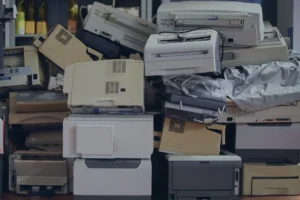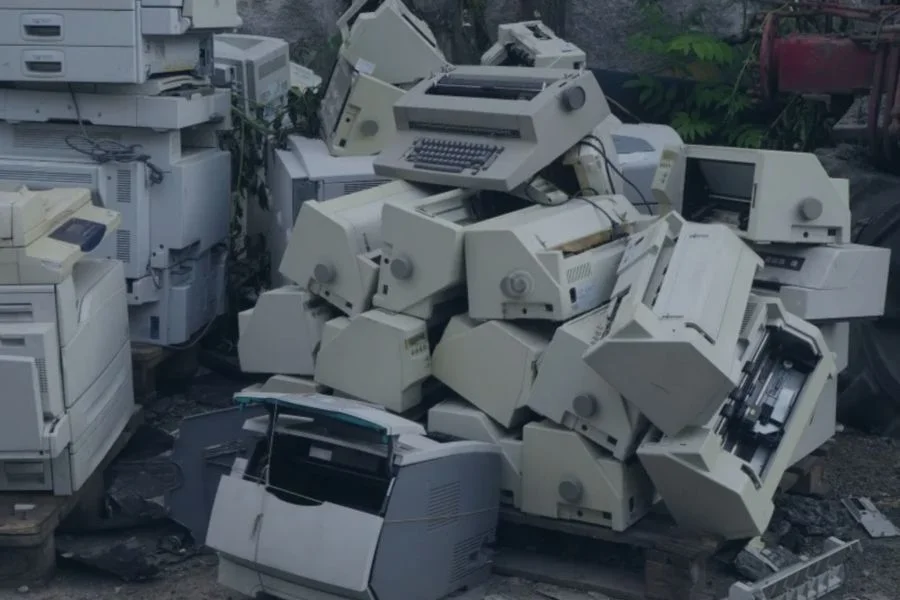
Old printers should be treated as electronic equipment, not ordinary trash. Inside a typical printer are plastics, metals, wiring, circuit boards, ink or toner cartridges, and sometimes internal storage that can hold data.
The right recycling option depends on what you have. Someone getting rid of one household printer may use a different route than a business replacing dozens of office printers at once.
Need to recycle multiple printers? EACR provides printer and electronics recycling for businesses, schools, municipalities, offices, and other organizations.
Quick Answer: How to Recycle Printers
There are several ways to recycle an old printer:
- Schedule a pickup with EACR Inc. for larger quantities, office cleanouts, or commercial printer replacements.
- Drop printers off at EACR’s facility when bringing the equipment directly is the easier option.
- Use an EACR e-waste container in your municipality if your community participates in an electronics collection program.
- Check HP’s take-back program for eligible HP products, ink cartridges, and toner recycling options.
Schedule a Printer Pickup With EACR
Businesses, schools, municipalities, offices, and other facilities replacing multiple printers can arrange an electronics recycling pickup with EACR. Printers can also be collected alongside computers, monitors, servers, and other retired equipment.
Drop Printers Off at EACR
Individuals and organizations can bring approved printers and other electronics directly to EACR’s facility. This can be a simple option when the equipment can be transported without scheduling a dedicated pickup.
Use a Municipal E-Waste Container
Some municipalities provide EACR e-waste containers or other collection programs where residents can drop off approved electronics. Printer acceptance and program availability depend on the participating municipality.
Check HP Take-Back Options
HP Planet Partners provides recycling options for qualifying HP printing supplies and equipment. Its HP Ink & Toner Recycling program includes options such as retail drop-off, mail-back recycling, and certain bulk collection programs.
How to Prepare Your Printer for Recycling
A little preparation can make transporting and processing an old printer easier.
1. Unplug the Printer
Disconnect the printer from power and remove USB cables, network cables, phone lines, and other accessories. Keeping loose cords separate also makes the equipment easier to move.
2. Remove Paper and Loose Supplies
Empty the paper trays and remove labels, envelopes, documents, and other loose materials. This prevents paper and supplies from spilling during transportation or handling.
3. Check the Ink or Toner Cartridges
Some recycling programs ask that ink or toner cartridges be removed before the printer is collected. These supplies may have their own recycling options and should be handled according to the requirements of the program you are using.
4. Check for Stored Data
Some multifunction printers and commercial printing systems contain hard drives or other internal storage. These components may retain scans, print jobs, network information, address books, or other business data.
Organizations recycling these printers should identify data-bearing equipment ahead of time so data destruction can be considered as part of the project.
5. Keep the Printer Intact
There is generally no reason to dismantle a printer before recycling it. Leave circuit boards, wiring, power supplies, motors, and other internal components inside the unit so they can be removed and processed properly.
What About Ink and Toner Cartridges?
Printers often reach the end of life with ink or toner still installed. These supplies should be handled as part of the recycling process rather than treated like ordinary trash.
Ink Cartridges
Ink cartridges contain plastic housings, residual ink, and internal components that can be separated and processed through recycling streams. EACR Inc. can accept and recycle ink cartridges along with the printer itself.
Toner Cartridges
Toner cartridges contain plastic, metal parts, and remaining toner powder that require separate handling during processing. EACR Inc. can recycle toner cartridges as part of a larger printer or electronics recycling project.
Printer Safety Before Recycling
Printers may look harmless once they stop working, but they still contain electrical components, moving parts, cartridges, and materials that are better left intact.
Before moving or storing an old printer:
- Unplug the equipment from power.
- Do not open power supplies or internal electrical components.
- Avoid breaking toner cartridges or releasing loose toner powder.
- Do not crush, cut, or dismantle the printer yourself.
- Use proper lifting techniques with large office printers and multifunction machines.
- Identify battery-powered equipment or backup batteries separately.
- Keep damaged, leaking, or broken components apart from intact equipment.
Large commercial printers, copiers, and multifunction systems can also be extremely heavy. In those cases, safely moving the equipment may be just as important as the electronics inside it.
What Happens After You Recycle a Printer?
Recycling a printer involves separating the equipment into components and materials that can be handled through the appropriate recycling streams.
Printers Are Received and Sorted
Printers are first identified by equipment type, condition, and any components that may require separate handling. Larger commercial printers and multifunction machines may also need additional preparation before dismantling.
Cartridges and Special Components Are Removed
Ink cartridges, toner cartridges, batteries, storage devices, and other components may be removed from the printer before further processing. These materials can require different recycling or handling methods than the printer itself.
The Printer Is Dismantled
The remaining equipment can be broken down into materials such as plastics, steel, aluminum, copper wiring, circuit boards, motors, and power components.
Materials Enter Recycling Streams
Once separated, materials can move into the appropriate downstream recycling or recovery streams rather than treating the entire printer as ordinary waste.
Want to see what happens beyond the initial processing stage? Read our guide on where e-waste goes after recycling.
Why You Should Recycle Old Printers
Printers contain a mix of plastics, metals, wiring, motors, circuit boards, and other electronic components that can be separated and processed through recycling streams. Ink and toner cartridges also require their own handling rather than simply being discarded with the rest of the machine.
Commercial printers and multifunction systems may contain another consideration: data. Internal hard drives or storage devices can retain print jobs, scans, network information, and other records, making proper equipment retirement important for businesses as well as the environment.
Want to see how much waste discarded printers can create? Read our guide to printer e-waste statistics for a closer look at how printer replacement, cartridges, and retired equipment contribute to the broader e-waste stream.
Frequently Asked Questions About Printer Recycling
Can You Throw a Printer in the Trash?
This is contextual to the state you live in and its laws. Recycling is the better option for an old printer because it contains electronics, metals, plastics, cartridges, and other components that should be handled separately from ordinary waste.
Where Can I Recycle an Old Printer?
Depending on your location and quantity, options can include an EACR pickup, drop-off at EACR’s facility, a participating municipal e-waste container, or an applicable manufacturer recycling program.
Does EACR Pick Up Old Printers?
Yes. EACR can coordinate pickups for businesses, schools, municipalities, offices, and other organizations recycling larger quantities of printers and electronic equipment.
Can I Drop a Printer Off at EACR?
Yes, approved printers and other electronics can be brought directly to EACR’s facility. Contact EACR beforehand if you are unsure whether your equipment can be accepted.
Should I Remove Ink and Toner Before Recycling a Printer?
EACR Inc. recycles both printers and their ink and toner cartridges, so the cartridges can be included as part of the recycling project rather than handled separately.
Do Printers Store Personal or Business Data?
Some multifunction and commercial printers contain hard drives or other internal storage that can retain print jobs, scans, network settings, address books, and other information. That’s one reason working with EACR Inc. makes printer recycling easier. We can handle both the equipment recycling and data destruction as part of the same project.
Can Large Commercial Printers Be Recycled?
Yes. Large office printers, copiers, and multifunction systems can be recycled, although their size, weight, internal storage, and transportation requirements may need to be considered when planning the project.
Does HP Take Back Old Printers or Cartridges?
HP Planet Partners provides recycling options for qualifying ink and toner cartridges, including mail-back, retail drop-off, and certain bulk options. HP also offers hardware recycling programs in participating locations, so availability should be checked for the specific product and area.
Recycle Your Old Printer With EACR Inc.
Old printers do not need to sit in a storage room or enter an ordinary waste stream once they stop working. Depending on the quantity and location, recycling can be handled through an EACR pickup, facility drop-off, participating municipal e-waste container, or an applicable manufacturer take-back program.
EACR Inc. helps businesses, schools, municipalities, offices, and other organizations recycle e-waste through pickups, drop-offs, e-waste containers, and coordinated recycling projects. Contact EACR to discuss your equipment and determine the best recycling option.