Is your computer five years old? Maybe you have an external hard drive that’s been sitting in a drawer for years, or your IT department is wondering whether aging server drives need replacing.
Hard drives don’t have a fixed expiration date. Some last well beyond their expected lifespan, while others fail much sooner. Their reliability depends on several factors, including age, usage, operating conditions, and drive type.
This guide explains how long hard drives typically last, the differences between HDDs and SSDs, warning signs of failure, and ways to extend their useful lives. When storage equipment reaches the end of its life, EACR Inc. provides hard drive recycling services for qualifying devices.
How Long Do Hard Drives Last on Average?
Traditional hard disk drives (HDDs) typically last around 4–7 years, while solid-state drives (SSDs) may last 5–10 years under suitable conditions. However, these are general estimates rather than guaranteed lifespans.
The actual lifespan depends on how frequently the drive is used, its operating environment, and the quality of its components.
Here’s a general comparison of common storage devices:
| Storage Type | Approximate Lifespan |
| Hard Disk Drive (HDD) | 4–7 years |
| Solid-State Drive (SSD) | 5–10 years |
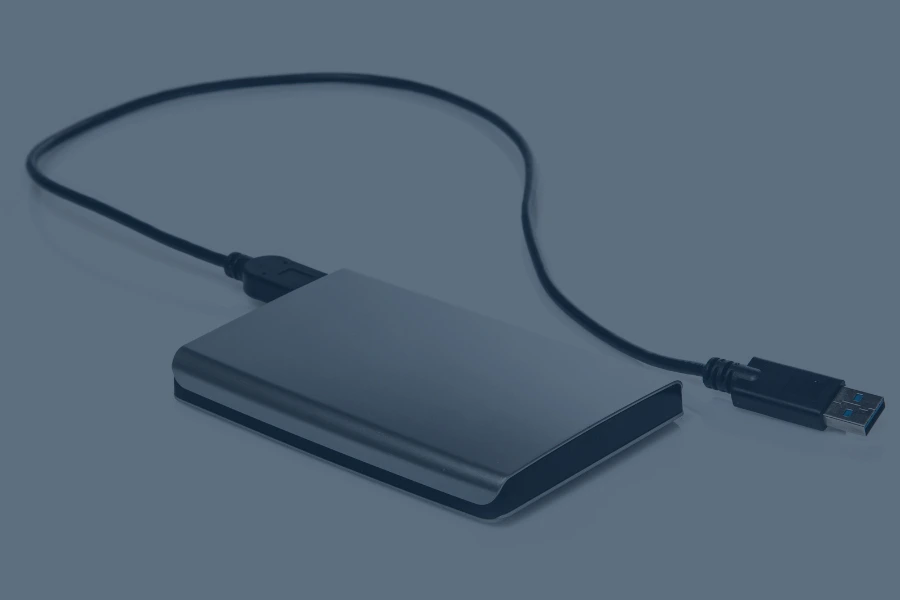
| External Hard Drive (HDD) | Often 4–7 years, depending on use |
| Enterprise/Server HDD | Varies by workload and operating conditions |
Some hard drives fail within their first few years, while others continue working for a decade or longer.
Because failures can happen unexpectedly, maintaining regular backups is important regardless of how old your drive is.
How Long Do HDDs vs. SSDs Last?
Although HDDs and SSDs serve the same purpose, they store information differently. Their construction affects how they wear out and what can cause them to fail.
How Long Do Traditional Hard Drives Last?
Traditional HDDs generally have an estimated useful lifespan of 4–7 years, although some last considerably longer.
These drives store information on spinning magnetic disks called platters. Mechanical read/write heads move across the platters to access data.
Because HDDs contain moving parts, they are vulnerable to mechanical wear, vibration, and physical damage. Excessive heat and unexpected power interruptions can also affect their reliability.
A drive operating in a well-maintained desktop computer may experience different conditions than one used continuously in a busy server.
How Long Do SSDs Last?
Solid-state drives generally have an estimated lifespan of 5–10 years, depending on their quality and usage.
Unlike HDDs, SSDs store information using flash memory chips and have no moving mechanical parts. This makes them more resistant to physical shocks and vibration.
However, flash memory has a limited number of write cycles.
Manufacturers commonly use Terabytes Written (TBW) to describe an SSD’s rated write endurance. For example, an SSD rated for 600 TBW is designed to support approximately 600 terabytes of writes within its specified endurance rating.
Reaching that rating doesn’t mean the drive will immediately stop working, but write activity is an important factor in SSD longevity.
What Factors Affect Hard Drive Lifespan?
Several conditions can shorten the lifespan of a hard drive, even when the device appears to be working normally.
Heat and Operating Temperature
Excessive heat can affect hard drive reliability and the electronic components responsible for storing and accessing data.
Poor ventilation, dust buildup, blocked fans, and high operating temperatures can contribute to problems over time.
Daily Usage and Workload
A hard drive used occasionally for backups experiences different demands than one operating continuously in a data center.
Operating hours, data transfers, and workload patterns all influence wear. For SSDs, the amount of data written is particularly important.
Physical Damage and Vibration
Mechanical hard drives contain delicate moving components.
Dropping an external hard drive, repeatedly moving a computer while its HDD is operating, or exposing equipment to excessive vibration can cause mechanical damage.
Power Problems
Unexpected shutdowns, power interruptions, and unstable electrical conditions can interrupt storage operations.
In some cases, these events may contribute to corrupted files or equipment problems.
Drive Quality and Manufacturing Differences
Not every hard drive is built the same way.
Different manufacturers, models, and product lines have varying reliability characteristics. Even drives from the same manufacturer can experience different failure rates.
Age and Previous Operating Conditions
A hard drive may accumulate wear over years of operation, even without obvious performance problems.
Unused drives can also experience age-related deterioration. Proper storage helps protect equipment, but it doesn’t guarantee that a drive will work indefinitely.
What Are the Signs a Hard Drive Is Failing?
Some hard drives fail suddenly without providing much warning. Others develop noticeable performance problems before they stop working.
Here are some common signs to watch for.
Unusual Clicking, Grinding, or Repeated Noises
Mechanical hard drives normally make some operating noise. However, persistent clicking, grinding, or unusual repetitive sounds may indicate problems with internal components.
If a drive begins making unfamiliar noises, avoid unnecessary use and prioritize protecting your data.
Slower Performance and Frequent Freezing
Files that suddenly take much longer to open, unusually slow transfers, or frequent computer freezes may indicate storage problems.
These symptoms can also have other causes, so additional diagnostics may be necessary.
Corrupted or Missing Files
Repeated file corruption, unexpected read/write errors, and folders that become inaccessible can suggest that a hard drive is having trouble storing or retrieving information.
Computer Boot Problems
A computer that repeatedly fails to start, displays storage-related error messages, or stops recognizing its hard drive may be experiencing a drive failure.
SMART Errors and Drive Health Warnings
Many hard drives support Self-Monitoring, Analysis, and Reporting Technology (SMART), which monitors certain indicators of drive health.
SMART warnings can identify potential problems involving temperature, read errors, and other operating conditions.
According to Seagate’s SMART error guidance, users who receive a SMART warning should back up their data as soon as possible, even if the drive appears to function normally.
What Does Real-World Hard Drive Failure Data Show?
Hard drive manufacturers provide endurance and reliability specifications, but real-world operating data offers another perspective.
Backblaze’s Q2 2026 Drive Stats report analyzed a large population of hard drives operating in its cloud storage infrastructure.
The report included:
- 354,415 hard drives in the analyzed population.
- 1.73% quarterly annualized failure rate for April through June 2026.
- 1.41% lifetime annualized failure rate across the reported drive population.
An annualized failure rate estimates the frequency of drive failures over a year. It does not mean that drives last a specific number of years.
These results also reflect enterprise storage environments, so they shouldn’t be used to predict exactly when a personal computer’s hard drive will fail.
How to Extend the Lifespan of Your Hard Drive
You can’t prevent every hard drive failure, but proper maintenance and handling can help reduce avoidable problems.
Keep Your Computer Properly Ventilated
Make sure cooling fans work properly and ventilation openings remain clear.
Avoid placing computers or external drives in enclosed spaces where heat can accumulate.
Protect Hard Drives From Physical Damage
Keep external hard drives on stable surfaces and avoid dropping or moving mechanical drives while they’re operating.
Use protective storage or carrying cases when transporting equipment.
Monitor Drive Health
Check SMART information periodically and use diagnostic tools recommended by the drive manufacturer.
Pay attention to unusual changes in performance, error messages, or operating sounds.
Use Appropriate Power Protection
A suitable surge protector or uninterruptible power supply (UPS) may help protect computers from certain electrical disturbances.
This can be particularly useful for equipment supporting important business operations.
Keep Firmware and Software Updated
Install manufacturer-approved firmware and operating system updates when appropriate.
Follow the manufacturer’s instructions and back up important information before performing firmware updates.
Maintain Regular Backups
Regular backups won’t necessarily make a hard drive last longer, but they can prevent a hardware failure from becoming a major data loss event.
Keep important files backed up in another location, such as a separate storage device or reliable cloud service.
When Should You Replace an Old Hard Drive?
You don’t necessarily need to replace a hard drive simply because it’s reached a certain age. However, waiting until it fails completely can create unnecessary risks.
Consider replacing your hard drive when you notice:
- Repeated Drive Errors: Persistent storage errors, failed diagnostic tests, or SMART warnings.
- Unusual Mechanical Sounds: Clicking, grinding, or other unfamiliar noises from a mechanical HDD.
- Increasing Age: A drive has been operating for several years and stores important information.
- Poor Performance: Slow transfers, frequent freezing, or storage performance that no longer meets your needs.
- Changing Storage Requirements: You need additional capacity, better performance, or improved reliability.
- Business IT Refreshes: Your organization is replacing aging computers, servers, or storage infrastructure.
For businesses managing important data, proactive replacement may help reduce downtime.
Before retiring a drive, make sure any necessary files have been backed up and sensitive information is handled appropriately.
What Should You Do With an Old Hard Drive?
Once a hard drive is no longer needed, several options may be available depending on its condition and whether it contains sensitive information.
- Reuse: A functioning drive may be suitable for another application after appropriate data sanitization.
- Donation or Resale: Working drives can sometimes be transferred to another user after securely removing stored information.
- Recycling: Broken, outdated, or unwanted drives can be processed through appropriate electronics recycling programs.
- Secure Data Destruction: Drives containing confidential information may require verified sanitization or physical destruction before recycling.
Businesses retiring equipment containing sensitive information can also explore EACR’s data destruction services.
Frequently Asked Questions About Hard Drive Lifespan
How Long Do Hard Drives Usually Last?
Traditional hard disk drives (HDDs) usually last approximately 4–7 years, while solid-state drives (SSDs) may last 5–10 years. These are general estimates, and individual drives can fail earlier or continue functioning much longer.
How Long Do Seagate Hard Drives Last?
Seagate hard drives typically have an estimated lifespan of around 4–7 years, although some may last 10 years or longer. Actual longevity depends on the model, workload, operating conditions, and maintenance.
How Long Do External Hard Drives Last Unused?
An unused external hard drive may remain functional for many years when stored properly in a cool, dry environment. However, internal components can deteriorate over time, and long-term storage does not guarantee that the drive or its data will remain accessible.
Do Hard Drives Last Longer Than SSDs?
Generally, SSDs have a longer estimated lifespan than traditional mechanical hard drives because they contain no moving parts. However, SSDs have limited write endurance, and the actual lifespan of either device depends on usage, quality, and operating conditions.
Can Hard Drives Last Forever?
No. Hard drives have a finite lifespan because their mechanical and electronic components can eventually deteriorate or fail. Even well-maintained drives may stop working unexpectedly, making regular backups essential.
How Long Do Hard Drives Last Without Power?
Hard drives can remain functional for years without power when stored under suitable conditions, but there is no guaranteed timeframe. Long periods without use can affect mechanical components, and stored data may eventually become inaccessible. Important files should be backed up and periodically checked rather than left on a single unplugged drive indefinitely.
Recycle Your Old Hard Drives With EACR Inc.
Hard drives can last several years, but their actual lifespan depends on the type of storage device, how it’s used, and its operating environment. Recognizing warning signs, maintaining regular backups, and replacing aging equipment when necessary can help protect your information.
When it’s time to retire old storage devices, EACR Inc. can recycle a hard drive for qualifying hard drives and related IT equipment.
Contact EACR Inc. at (732) 370-4100 to discuss hard drive recycling, secure data destruction, and available collection arrangements.