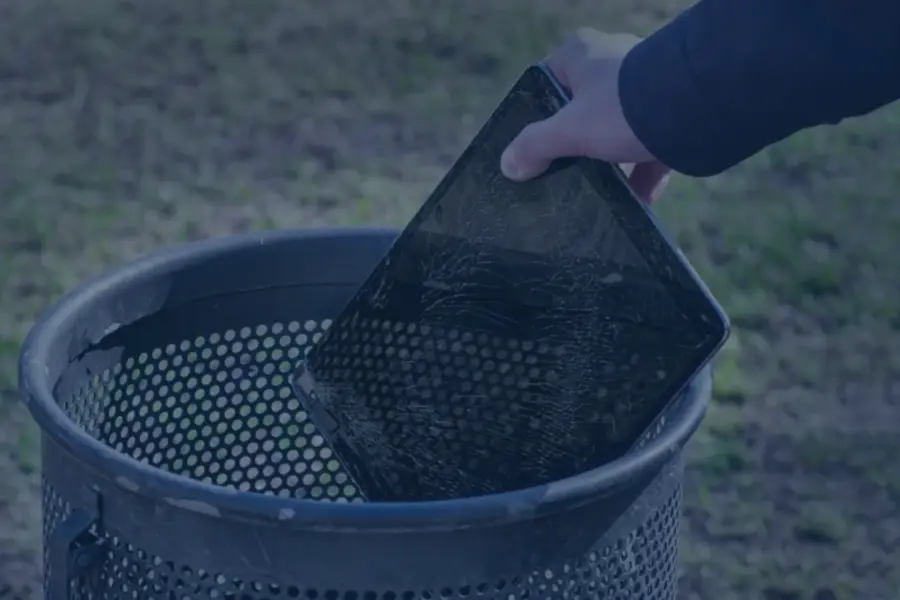
Most iPads can remain useful for about 5 to 8 years or longer, depending on the model, battery health, software support, and how the device is used.
iPads often stay useful longer than phones because many people do not put them through the same constant daily wear. Eventually, though, battery life, storage capacity, app compatibility, performance, and iPadOS support can become bigger limitations than the physical device itself. An iPad also does not automatically need replacement just because it reaches five years old. If it still runs the apps you need, holds a reasonable charge, and continues receiving appropriate software support, it may still have plenty of life left.
If your iPad has reached the end of its useful life, EACR Inc. provides iPad recycling services for individuals, businesses, schools, and organizations managing old tablets.
How Long Does an iPad Last?
Quick answer: A well cared for iPad can typically remain useful for about 5 to 8 years or longer.
A few general lifespan ranges help put that into perspective:
- Overall device lifespan: About 5 to 8 years or longer
- Battery lifespan: Often around 2 to 3 years before noticeable degradation
- Software support: Commonly around 5 to 7 years
- Actual usable lifespan: Depends on the model, battery, storage, performance, software support, and how you use it
There is no fixed expiration date for an iPad.
A tablet used mostly for reading, web browsing, email, and streaming may remain useful much longer than one used every day for gaming, video editing, graphic design, or demanding business applications.
What Determines How Long an iPad Lasts?
Several factors determine whether an iPad still feels useful after five, seven, or even ten years.
Your iPad Model
Newer iPads generally have more capable processors, better hardware, and a longer runway for future software.
An iPad Pro or iPad Air with newer hardware may remain practical longer than an older entry level model because it has more processing power available as apps and operating systems become more demanding.
That does not mean every older iPad becomes useless quickly. It simply means newer hardware generally has more room to handle future software requirements.
How You Use the iPad
What you ask the iPad to do matters.
More demanding uses include:
- Gaming
- Video editing
- Graphic design
- Large business applications
- Heavy multitasking
An iPad used mainly for email, streaming, reading, or web browsing may remain useful long after the same model starts feeling slow for heavier work.
Battery Health
The battery is often one of the first parts of an iPad to show its age.
Lithium ion batteries naturally degrade over time. An iPad may still work perfectly while needing to be charged much more often than it did when it was new.
A worn battery does not automatically mean the entire iPad is finished.
If performance is still good and the device continues to support the apps you use, replacing the battery may extend its usable life.
Software Support
Software support can eventually become one of the biggest limits on an older iPad.
Even if the hardware still turns on and works, an iPad that no longer receives newer versions of iPadOS may gradually run into:
- App compatibility problems
- Missing software features
- More limited security support
- Apps that require newer versions of iPadOS
This usually happens gradually rather than all at once.
Storage Capacity
Storage can also become a problem on older iPads.
Apps, games, photos, videos, and system files have grown significantly over time. Older iPads with smaller storage capacities can become difficult to manage even when the hardware still performs reasonably well.
If you constantly need to delete apps or files just to install updates, storage limitations may eventually make replacement more practical.
How Long Does an iPad Battery Last?
An iPad battery may begin showing noticeable degradation after roughly 2 to 3 years, although the actual timeline varies.
Battery life depends on factors such as:
- How frequently the iPad is charged
- How heavily it is used
- Exposure to heat
- Charging habits
- Number of charge cycles
Some batteries remain usable much longer, while heavily used devices may begin showing reduced battery life sooner.
Signs Your iPad Battery Is Aging
Common signs include:
- Battery drains much faster than it once did
- Device needs charging several times per day
- Unexpected shutdowns
- Battery percentage changes suddenly
- iPad becomes unusually warm during normal use
One of these issues does not automatically mean the battery needs replacement, but several together may point to noticeable battery wear.
Does a Bad Battery Mean You Need a New iPad?
Usually, no.
If the iPad still performs well, supports the apps you use, and remains compatible with current software, replacing the battery may make more sense than replacing the entire tablet.
Battery condition should be considered alongside the age and overall performance of the device.
How Long Does Apple Support an iPad?
Software support commonly lasts around 5 to 7 years, although the exact timeline varies by model.
Software support matters because the practical life of an iPad depends on more than whether the screen turns on. Modern apps and services are continuously updated, and those updates eventually require newer operating systems and hardware.
What Happens When an iPad Stops Getting Updates?
An unsupported iPad does not suddenly stop working.
Instead, limitations usually appear gradually.
You may notice:
- Some apps no longer support the installed software
- New features are unavailable
- Security support becomes more limited
- Certain websites or services work differently
- Newer accessories may not be compatible
Unsupported does not immediately mean unusable.
If the iPad still handles the tasks you need, you may be able to continue using it for some time. Eventually, however, compatibility problems can make replacement more practical.
Signs It May Be Time to Replace Your iPad
Age alone is not the best reason to replace an iPad.
The better question is whether the device still works reliably for what you need.
The Battery Barely Lasts
If the battery drains very quickly even after troubleshooting, it may need replacement.
Whether you replace the battery or the entire iPad depends on the age, performance, software support, and overall condition of the device.
Apps Constantly Crash or Freeze
Occasional app crashes happen on almost every device.
Frequent freezing, crashing, or extremely slow loading can indicate that older hardware is struggling to run newer apps.
If multiple apps have the same problem, the issue may be bigger than one bad application.
Your iPad Is Very Slow
Older iPads can gradually become slower as software becomes more demanding.
Common signs include:
- Slow app loading
- Lag while typing
- Delayed switching between apps
- Stuttering during basic tasks
Storage problems and outdated software should be ruled out first.
If the device remains painfully slow during normal use, the hardware may simply no longer meet your needs.
You Cannot Update iPadOS
An iPad that cannot install newer versions of iPadOS may eventually encounter compatibility problems with newer apps and services.
That does not mean replacement is immediately necessary, but it becomes more important as the software gap grows.
You Keep Running Out of Storage
Older lower capacity iPads can become difficult to use as apps and system files grow larger.
If every update requires deleting photos, apps, or downloads, storage limitations can become a legitimate reason to replace the device.
The Screen or Hardware Is Seriously Damaged
A small scratch is one thing.
More significant problems include:
- Severely cracked glass
- Display failure
- Touchscreen problems
- Charging port failure
- Multiple hardware problems at the same time
Whether repair makes sense depends on the age and overall condition of the device.
Repairing one problem on a newer iPad may be reasonable. Paying for several repairs on an older device with limited software support may not be.
It No Longer Does What You Need
An iPad does not need to completely stop working before replacement makes sense.
You may simply need:
- More storage
- Better performance
- Newer app support
- Apple Pencil compatibility
- Cellular connectivity
- Better multitasking
A device can still technically work while no longer fitting the way you use it.
What Should You Do With an Old iPad?
An old iPad contains several materials and electronic components that should be considered when the device is retired.
These can include:
- Lithium ion battery
- Circuit boards
- Aluminum
- Glass
- Wiring
- Electronic components
- Storage hardware
Before recycling the device:
- Back up important files
- Sign out of your accounts
- Erase personal data
- Remove the device from your Apple account
- Choose an appropriate electronics recycling option
Conclusion
Most iPads can remain useful for 5 to 8 years or longer, but age alone does not determine when replacement makes sense. Battery health, software support, performance, storage capacity, app compatibility, and how you use the tablet all affect its practical lifespan.
If your iPad has reached the end of its useful life, contact EACR Inc. for iPad recycling services. EACR works with individuals, businesses, schools, and organizations managing individual tablets, bulk device replacements, and larger electronics recycling projects.