Have an old Android phone sitting in a drawer that you no longer use? Whether you’ve upgraded to a newer model, have a broken screen, or simply don’t need the device anymore, there are several ways to put it to better use or recycle it responsibly.
Android phones contain recyclable metals, plastics, and glass, along with lithium-ion batteries that require proper handling. They can also store personal information that should be addressed before recycling.
EACR Inc. offers professional cell phone recycling services for individuals, businesses, and organizations looking to dispose of unwanted devices.
This guide explains your recycling options, what Android phones are made of, how to protect your personal information, and how to prepare your device for recycling.
What Can You Do With an Old Android Phone?
If you have an old Android phone, you can recycle it through an electronics recycling company, trade it in, donate it, sell it, or repurpose it as a backup device.
If the phone is damaged, outdated, or no longer functional, recycling is often the most practical option. EACR Inc. provides several ways to collect and recycle unwanted Android phones.
Schedule an Electronics Recycling Pickup or Drop-Off
EACR Inc. offers electronics recycling pickups and drop-off services for unwanted Android phones and other mobile devices.
Individuals can arrange to bring old phones to EACR’s recycling facility in Lakewood, New Jersey. Businesses, schools, and other organizations with larger quantities of devices can schedule collections based on their recycling needs.
EACR accepts Android phones regardless of brand, age, or working condition, including devices with broken screens or batteries that no longer hold a charge.
Contact EACR before visiting the facility or scheduling a pickup to confirm arrangements and any applicable requirements.
Use an E-Waste Recycling Container
For organizations regularly collecting unwanted electronics, EACR provides e-waste recycling containers.
These containers are particularly useful for offices, schools, municipalities, and businesses that accumulate old Android phones alongside computers, tablets, and other electronic equipment.
Organizations can collect approved devices in a designated location and arrange for EACR to transport them for recycling. This helps simplify recurring electronics disposal without coordinating individual collections for every device.
What is an Android Phone Made Of?
Android phones contain numerous electronic components, metals, plastics, and other materials. Although the exact construction varies by manufacturer and model, many of these materials can be recovered through electronics recycling.
Common materials found inside Android smartphones include:
- Aluminum and steel: Used in frames, structural supports, screws, and internal components.
- Copper, and silver: Found in circuit boards, electrical connectors, wiring, and other electronic components.
- Glass: Used in screens, display assemblies, and sometimes the rear housing.
- Plastics: Found in external housings, internal supports, connectors, and electrical insulation.
- Lithium-ion batteries: Rechargeable batteries that require careful handling because of their potential fire risks.
- Rare earth elements: Used in certain speakers, vibration motors, and other small electronic components.
For a closer look at these materials, read our guide explaining what is inside a mobile phone.
The scale of discarded phones makes proper recycling especially important. According to the WEEE Forum, approximately 5.3 billion mobile phones worldwide were expected to become electronic waste in 2022, out of an estimated 16 billion phones in use or storage. This was a projection published in 2022, demonstrating how quickly unused mobile devices can accumulate.
Want to learn more about the growing impact of discarded mobile devices? Explore our cell phone recycling statistics to see how electronic waste is accumulating and why proper recycling matters.
What Happens to an Android Phone After Recycling?
Once an Android phone arrives at an electronics recycling facility, it is sorted and evaluated to determine how its components should be handled. Batteries and other materials requiring special processing are separated, while recyclable components are prepared for further processing.
Materials such as copper, aluminum, steel, and certain plastics can be recovered and directed into appropriate recycling streams. EACR Inc. has processed more than 300 million pounds of electronic waste throughout its history, helping keep electronics and recoverable materials out of landfills.
Why Data Destruction Matters Before Android Phone Recycling
Your old Android phone may contain more personal information than you realize. Even if you haven’t used it in years, it could still store photos, contacts, messages, saved accounts, financial information, or work documents.
Simply deleting a few apps or photos does not necessarily remove all the information stored on the device.
For most functioning, modern Android phones, performing a factory reset after backing up your information is an important step before recycling, selling, or donating the device. A factory reset removes user data from the phone, although the effectiveness of the process can depend on the device and its security features.
For businesses handling sensitive information, professional data destruction provides additional safeguards. This is especially important when recycling company phones that previously contained customer records, employee information, or confidential communications.
EACR Inc. offers secure data destruction services, including data wiping and physical destruction methods appropriate for different devices.
If your Android phone no longer turns on or cannot be reset, consult EACR about secure data handling before recycling.
How to Prepare an Android Phone for Recycling
Before recycling your Android phone, take a few minutes to protect your information and prepare the device for safe handling.
Follow these seven steps:
1. Back Up Your Important Data
Transfer any photos, videos, contacts, documents, or other information you want to keep.
You can back up supported information through your Google account, transfer files to a computer, or move everything directly to your replacement phone.
Check that your important files transferred successfully before proceeding.
2. Transfer Your Accounts and Authentication Apps
Some Android phones contain authentication apps, passkeys, digital wallets, and other account recovery information.
Make sure you can access important accounts on your replacement device before resetting the old phone. Otherwise, you could lose access to accounts that require authentication through that device.
3. Remove Your Google Account
Open your phone’s settings and navigate to the account management section.
Remove your Google account and any other accounts associated with the device.
This is particularly important when transferring a working phone to another person, since Google’s Factory Reset Protection may otherwise prevent the next owner from setting up the device.
4. Perform a Factory Reset
On many Android devices, you can navigate to:
Settings → System → Reset Options → Erase All Data (Factory Reset)
Follow the prompts and enter your PIN or password if requested.
The exact steps vary depending on your Android version and manufacturer. Google’s official Android reset instructions explain the process in greater detail.
5. Remove the SIM Card and Memory Card
Check your phone for a physical SIM card or removable microSD card.
Remove these before recycling. If your device uses an eSIM, coordinate the transfer or removal of your mobile service with your carrier.
Remember that microSD cards may contain personal files and should be securely erased or retained.
6. Remove Accessories and Check the Battery
Remove protective cases, detachable accessories, and other items that do not need to remain with the phone.
Inspect the device for signs of battery damage, including swelling, leaks, unusual heat, or a separating screen or back cover.
Important: Never puncture, crush, or attempt to remove a sealed lithium-ion battery yourself. Do not charge a swollen or damaged phone or place it in an ordinary electronics collection container without specific handling instructions from the recycling provider.
7. Arrange Electronics Recycling
Once your Android phone is prepared, contact EACR Inc. to arrange an appropriate recycling option.
Depending on your needs, this may involve a scheduled pickup, a facility drop-off, or an established e-waste container program.
If the phone cannot be reset or has a damaged battery, notify EACR before arranging collection so the device can be handled appropriately.
Can You Recycle Android Phone Chargers and Accessories?
Yes. Many Android phone accessories, including USB charging cables, wall adapters, wireless chargers, and wired earbuds, contain recyclable metals, wiring, and electronic components. These items should be taken to an appropriate electronics recycling program rather than discarded with regular household trash.
External battery packs and portable chargers also require proper recycling because they contain lithium-ion batteries. Keep damaged or swollen batteries separate from ordinary electronics collections and contact EACR Inc. for handling instructions before arranging recycling.
Frequently Asked Questions About Android Phone Recycling
Can You Recycle an Android Phone That No Longer Turns On?
Yes. Android phones can be recycled even if they no longer power on, charge, or function properly. Their circuit boards, metals, and other components can still undergo recycling processes. If you cannot access the phone to erase personal information, ask the recycling provider about secure data destruction.
Can You Throw an Old Android Phone in the Trash?
No. Old Android phones should be taken to an appropriate electronics recycling program rather than placed in household garbage. They contain lithium-ion batteries that can create fire hazards when damaged or crushed, along with electronic materials that require proper disposal.
Do You Need to Remove the Battery Before Recycling an Android Phone?
No. Most modern Android phones have built-in batteries that are not designed for easy removal. Leave the battery inside the device and allow the recycling provider to manage it. Attempting to remove a sealed battery can cause punctures, short circuits, or fires.
Can You Recycle an Android Phone With a Cracked Screen?
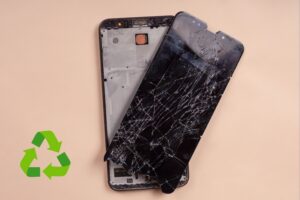
Yes. A cracked screen does not prevent an Android phone from being recycled. Even severely damaged phones contain components and materials that can be recovered. If the screen has exposed glass or the device has additional battery damage, inform the recycler before dropping it off.
What If You Cannot Factory Reset Your Android Phone?
If your phone will not turn on, the screen is unresponsive, or you cannot access its settings, you may be unable to perform a factory reset. Do not assume your information has been erased. Contact a recycling provider that offers professional data destruction and explain the device’s condition.
Recycle Your Old Android Phone With EACR Inc.
Whether your Android phone still works or has been sitting unused for years, preparing it properly and choosing an appropriate recycling option helps protect your information and keep electronic waste out of landfills.
With more than 25 years of experience in electronics recycling, EACR Inc. helps individuals, businesses, schools, and organizations manage unwanted mobile devices.
Our services include scheduled pickups, facility drop-offs, and e-waste recycling containers. We also provide certificates of recycling, giving organizations documentation of their electronics recycling activities.
Ready to get rid of an old Android phone? Contact EACR Inc. to learn more about our cell phone recycling services and arrange the right recycling option for your devices.