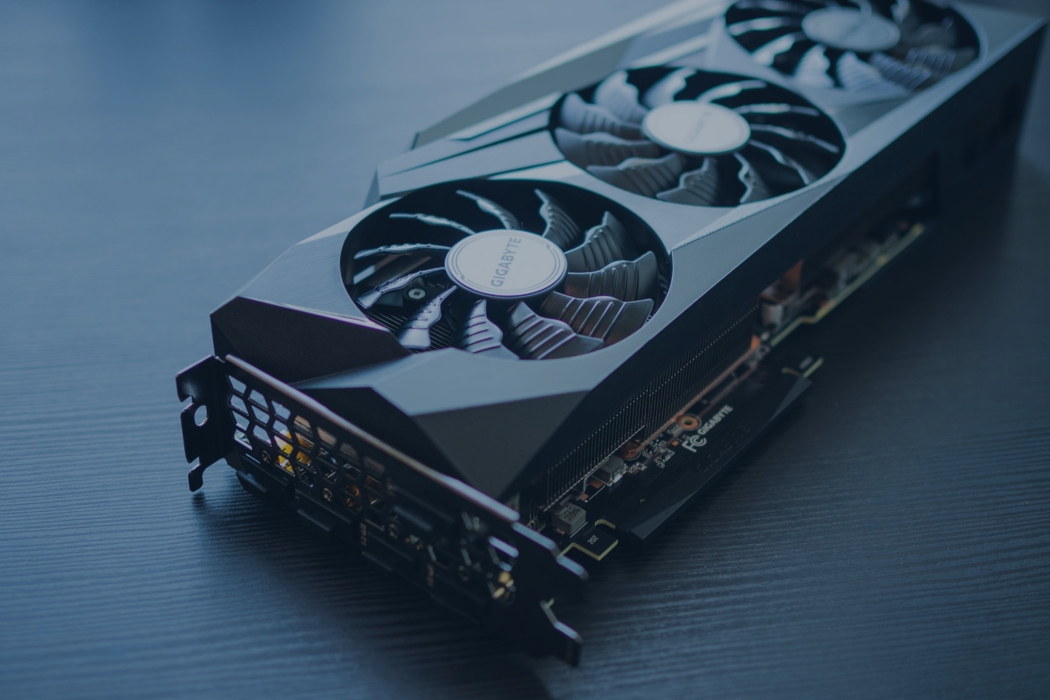
What to do with old graphics cards is a question people end up asking right after an upgrade—because GPUs stack up fast during refresh cycles, replacements, and “this still works… I think” cleanouts.
The simple truth: you usually have three paths—sell, reuse, or recycle—and the right call depends on the card’s condition, how many you have, and how quickly you need them gone.
This guide will help you estimate value, prep safely, pick the best route, and move GPUs through proper electronics recycling when selling or reuse isn’t the move.
What is a Graphics Card (GPU)?
A graphics card (GPU) is a computer component that handles graphics output and high-parallel computing work—think gaming visuals, rendering, and heavy compute tasks.
At end-of-life, GPUs matter because they’re electronics packed with metals and components that shouldn’t end up in general trash or mixed waste.
Does a GPU store personal data?
Most GPUs do not store your personal files. Your data risk is almost always on storage devices (hard drives and SSDs), not on the GPU itself.
What can exist is basic firmware/settings and temporary memory while the PC is powered on—nothing like a hard drive that holds documents, logins, or browsing history.
Step 1: Decide If You Should Sell, Reuse, or Recycle
Here’s the quick decision tree:
- Works well + market demand → sell / buyback
- Works but not worth selling → reuse / donate
- Dead / unstable / damaged → recycle
When selling makes sense
High-end or newer cards often hold resale value longer than most PC parts, especially if they’re clean, stable, and still relevant.
Common channels include direct resale marketplaces, bulk IT buyback partners, or business asset recovery programs when you’ve got volume.
When reuse or donation makes sense
If the card runs reliably, reuse can be the easiest win: a backup GPU, a secondary PC, a home lab/test bench, a media PC, or a build that needs legacy compatibility.
Donation works too—just make sure the card is stable and complete (no weird artifacts, overheating, or fan issues).
When recycling is the right call
Recycle when it’s dead, unstable, or clearly compromised: no display, random crashes, burned smell, visible damage, bent pins, corrosion, broken fans/shroud—or when you simply don’t want to spend time managing it.
Step 2 : Estimate Value the Smart Way
Before you list it or request a quote, capture the basics:
- Brand + model
- VRAM
- Condition (working, intermittent, dead)
- Whether it saw heavy workloads (and any visible wear)
For price checks, don’t just look at asking prices. Compare current listings and sold/completed sales to see what people are actually paying.
Also watch timing: prices can swing around new GPU releases, supply changes, and seasonal demand.
Bulk value vs one-off value
One-off sales can pay more per unit—but they take time (messages, shipping, returns, fraud risk).
Bulk buyback is faster and cleaner for organizations with volume—especially when the goal is to move hardware out with less admin work.
Step 3: Prep Your GPU for Its Next Stop
Use this quick checklist:
- Power down fully and remove carefully
- Store in anti-static packaging if possible
- Keep accessories/boxes if you have them (helps resale)
- Do a light clean and a basic visual inspection
Cleaning (simple, safe)
Use compressed air and light brushing to remove dust. Avoid static-heavy tools and don’t blast the card so hard that you overspin fans.
Skip moisture. No wipes, no water, no “let me really scrub this.”
Condition check (what buyers and recyclers care about)
A fast visual check saves problems later. Watch for:
- Bent connector pins
- Cracked PCB
- Missing components
- Burn marks
- Corrosion
- Damaged fans
- Broken shroud or loose heatsink
Step 4: Choose the Right Route (with Pros/Cons)
Option 1: Sell directly
Pros: highest upside on good cards.
Cons: time, packing/shipping, scammers/returns, and price volatility.
Option 2: Sell through a buyback / asset recovery program
Pros: simple process, predictable handling for volume, cleaner paperwork for businesses.
Cons: typically lower per-unit than direct resale.
Option 3: Reuse or donate
Pros: extends lifespan and keeps working tech out of waste streams.
Cons: requires the card to be stable and usable.
Option 4 — Recycle through an electronics recycler
Pros: safest path for dead/damaged units; materials get routed through proper electronics recycling channels instead of ending up in trash.
Cons: not a “value play” for every unit—especially low-end cards that aren’t worth reselling but makes the most sense in this context to recycle them.
Why You Shouldn’t Trash a GPU
Graphics card recycling is the safer default because GPUs are packed with metals, solder, and electronics that don’t belong in dumpsters or mixed waste.
And in plenty of places, disposal rules make “just throw it away” a bad move—especially for businesses that are expected to control end-of-life electronics instead of treating them like regular trash.
Business risk (why teams get burned)
Safety incidents: GPUs can get crushed, boards can snap, and sharp edges show up fast when they’re tossed into mixed loads or stacked loosely.
Documentation gaps: If you can’t show where the hardware went (and who handled it), you create avoidable headaches for internal controls, vendor management, and ESG reporting.
Project delays: The classic failure mode is waiting until the end of a refresh or decommission to figure out logistics—then you’re scrambling for packaging, and pickups.
GPU Recycling for Businesses and Data Centers
This comes up constantly in real operations, especially during:
- Data center refresh cycles
- Mining operation drawdowns
- Enterprise workstation upgrades
- Multi-site hardware standardization
Practical tips that keep projects moving
Stage GPUs as you pull them. Don’t let them pile up loose on carts, shelves, or in random boxes where they get crushed or mixed with scrap.
Track counts in a simple way. Count by box/tote, label the location (site/room/rack), and keep a quick model list if you can. It doesn’t need to be fancy—just usable.
Schedule pickup early for volume. If you’re dealing with stacks of cards, planning the pickup and packaging up front keeps the whole project from stalling later.
What Happens After Collection (High Level)
Once collected, GPUs typically go through a basic routing process:
Sorting: cards that are good candidates for reuse/resale get separated from units that should go straight into the recycling stream.
Processing: electronics dismantling and material separation happen through controlled handling steps.
Output: recoverable metals and plastics are routed into appropriate downstream channels, and remaining fractions are managed through proper end-of-life pathways.
Documentation you can request
Pickup/service record: date, location, and quantities—your baseline proof of removal.
Recycling documentation: Certificates of recycling that support compliance needs, internal reporting, and vendor accountability.
FAQs About Recycling Graphics Cards
Can I throw a GPU in the trash?
You shouldn’t. GPUs are electronics with materials that don’t belong in dumpsters, and for businesses it creates unnecessary compliance and safety exposure.
Can I recycle a GPU with other electronics?
Usually, yes—GPUs are standard e-waste items. The key is keeping them staged in a way that prevents damage and mixing them with loose metal debris.
Do I need to wipe it like a hard drive?
In most cases, no. GPUs typically don’t store your personal files like a drive does. Your data risk is usually on SSDs/HDDs, not the graphics card.
What if the GPU is damaged?
Treat it as a higher-risk item: keep it separated, protect it from further crushing, and flag it clearly so it’s handled through the right recycling path.
What’s the easiest option for bulk GPUs?
For businesses, it’s usually scheduled pickup with basic counts, labeled containers, and documentation—faster, safer, and cleaner than trying to piece together one-off drop-offs.
Conclusion
Recap: sell if it has value, reuse if it’s stable, and recycle if it’s dead—or if you want it off your plate responsibly and tracked.
EACR Inc. is an electronics recycling company with deep experience in graphic card recycling and end-of-life electronics handling—so if GPUs are part of an IT cleanout, we can coordinate pickup, staging guidance, and documentation to make sure everything goes through the right recycling path.