Ever wondered what is inside a computer? These machines sit on our desks and in our laps every day, yet most people don’t think twice about the countless parts working together inside them. A computer isn’t just a single unit — it’s a system made up of both internal and external components, each with a unique function and material makeup.
Understanding these parts matters. Internally, they determine performance and speed. Externally, they influence usability and interaction. And when a computer reaches the end of its life, those same parts can become an environmental challenge if not properly electronically recycled. Knowing what’s inside helps us appreciate the complexity — and responsibility — that comes with using modern computers.
Why Computers Are Complex Machines
Computers have come a long way from the massive, room-sized machines of the past. Today’s desktops and laptops are compact, efficient, and powerful — able to process millions of calculations every second.
Behind the scenes, these machines juggle multiple tasks: running applications, storing massive amounts of data, streaming video, and keeping us connected to the internet in real time. This is made possible by decades of innovation in miniaturization. Manufacturers have figured out how to pack faster processors, higher-capacity storage, and advanced peripherals into smaller, sleeker designs.
The result? A system that feels simple on the outside but is a true engineering marvel under the hood.
Core Internal Components of a Computer
Motherboards & Circuit Boards
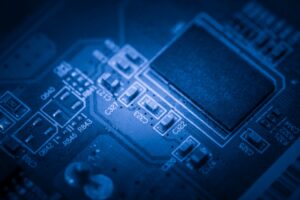
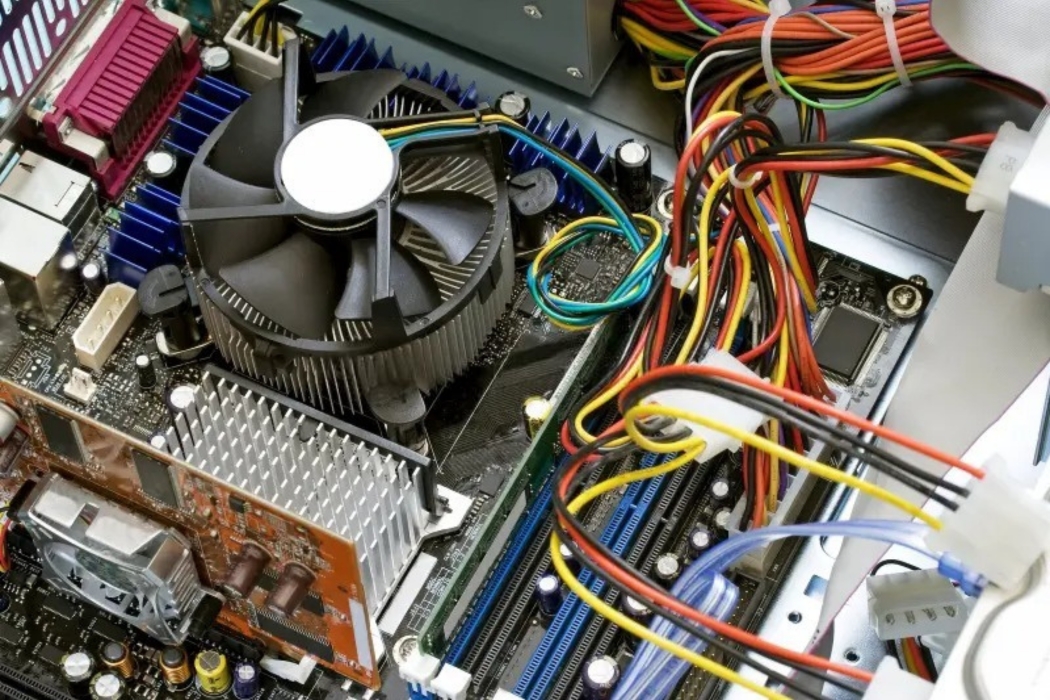
The motherboard is the central platform that connects every part of a computer. Think of it as the nervous system — without it, nothing else can communicate or function. These boards are built with layers of circuitry and materials like gold, silver, palladium, and copper, which make them recyclable.
CPU (Processor)
Known as the “brain” of the computer, the CPU handles calculations, logic, and instructions for every task. Modern processors are made with gold, silicon, and ceramics, designed to execute billions of operations per second.
RAM (Random Access Memory)
RAM provides the temporary memory a computer needs to multitask. Whenever you open multiple programs or browser tabs, RAM keeps things running smoothly. These modules are built with IC chips and gold connectors that store and release information at lightning speed.
Storage Devices
- Hard Disk Drives (HDDs): Traditional storage with spinning platters, aluminum casings, and rare earth magnets. Durable but slower than modern alternatives.
- Solid-State Drives (SSDs): Faster, more efficient storage built with chips containing recoverable metals. SSDs have no moving parts, which makes them quicker and more reliable.
Expansion Cards
Computers often use dedicated graphics, sound, or network cards to enhance performance. These expansion cards contain copper wiring and gold pins, making them both functional and recyclable.
Power Supply Units (PSUs)
The PSU converts electricity from your wall outlet into a form your computer can safely use. Packed with copper wiring, aluminum, and steel, these units regulate voltage to protect sensitive components.
Cooling Systems
With all that processing power, computers generate significant heat. Cooling systems — fans, heat sinks, and thermal paste — keep temperatures under control. These parts are usually made from aluminum, copper, and plastics.
Optical Drives (CD/DVD/Blu-ray)
Though less common today, many desktops still include optical drives for CDs or DVDs. These devices use motors, lasers, and plastics to read and write data.
CMOS Battery
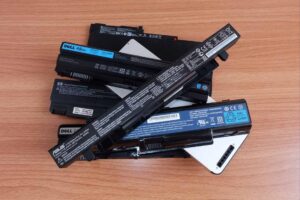
A small but critical part, the CMOS battery maintains BIOS settings even when the computer is turned off. Typically lithium-based, these batteries are hazardous if thrown away improperly and must be recycled responsibly.
External Components of a Computer
When you look at what is inside a computer, it’s not just the hidden circuitry that matters — the external components play an equally important role. These parts connect us to the machine, make it usable, and often contain materials that require careful handling at the end of their life.
Computer Case
The computer case is the first thing you notice. Usually made from steel or ABS plastic with flame retardants, it provides a protective shell for all the delicate internal parts. While it might look simple, it’s a key safeguard against dust, impact, and overheating.
Monitors & Screens
- CRTs (Cathode Ray Tubes): Older models contain leaded glass and other hazardous materials that are dangerous if tossed in a landfill.
- LCD/LED Screens: The modern standard, built with mercury, phosphors, and complex driver electronics. They offer sharper visuals but still carry environmental risks if not recycled properly.
Keyboards & Mice
Made primarily of plastics, wiring, and small circuit boards, keyboards and mice seem basic — but their components add up across millions of devices.
Peripherals
Think webcams, speakers, headphones, external drives, and USB devices. These add convenience and functionality but also contribute to the growing stream of electronic waste when replaced.
Printers & Cartridges
Printers are more complex than many realize, containing motors, rollers, plastics, and metals. Cartridges bring an added layer of risk — toner and ink chemicals can be harmful if not disposed of safely.
External Storage Devices
From flash drives to portable HDDs and SSDs, external storage devices are small but everywhere. Each one contains recoverable metals and chips that should be recycled rather than discarded.
Networking Equipment
Routers, modems, and WiFi adapters are essential for keeping us connected. Inside, they hold circuit boards, plastics, and metals — all recyclable when handled properly.
Materials Found Inside a Computer
No matter the component, every computer is built from a mix of raw materials that drive performance — and can cause problems if mishandled.
Metals
Gold, copper, aluminum, palladium, and rare earth elements are vital for conductivity and performance. These materials make technology possible and are highly recoverable through recycling.
Plastics & Glass
From cases and monitors to keyboards and accessories, plastics and glass make computers durable and lightweight. When recycled properly, they can be repurposed into new products.
Hazardous Substances
Mercury, lead, lithium, and flame retardants are hidden in many components. If computers are dumped in landfills, these substances can leach into soil and water, creating long-term environmental risks.
Why Proper Disposal Is Essential
Every year, millions of computers are discarded worldwide. When left in landfills, they don’t just waste resources — they leach dangerous toxins like mercury and lead into the environment. Proper disposal ensures harmful substances are contained and reusable materials are recovered. Recycling turns old computers into new opportunities, reducing the need for destructive mining and cutting down on e-waste pollution.
How Computer Recycling Makes a Difference
At EACR Inc., we specialize in computer recycling, ensuring safe handling of both internal and external components. From motherboards, CPUs, RAM, and hard drives to monitors, keyboards, and printers, we recover reusable metals like copper while making sure hazardous substances such as mercury and lead are properly managed.
Final Thoughts: Inside Every Computer Lies Opportunity
When you break down what is inside a computer, it’s clear these machines are far more than plastic shells — they’re packed with complex parts, precious materials, and hidden risks. Each component has potential for recovery and reuse, but only if handled responsibly.
The solution is simple: recycle computers through trusted channels. By doing so, we protect the environment, reclaim reusable resources, and ensure harmful toxins stay out of our communities.