Most computers do not suddenly stop working one day. Instead, they gradually become slower, louder, less reliable, and less capable of keeping up with modern software.
A computer’s lifespan depends on several factors, including whether it is a desktop or laptop, the quality of its hardware, how heavily it is used, how well it is maintained, and whether it can continue receiving software and security updates. Some computers begin struggling after just a few years, while others remain productive for a decade or more.
The good news is that understanding what affects computer lifespan can help you get more value from your investment and make smarter decisions about upgrades, repairs, and replacement. And when computers eventually reach the end of their useful life, EACR Inc. helps businesses, schools, healthcare facilities, and organizations recycle computers securely through responsible electronics recycling services.
Quick Answer: How Long Do Computers Last?
There is no universal expiration date for computers, but most systems fall within a fairly predictable lifespan range.
Desktop Computers
Desktop computers typically last between 5 and 10 years, and in many cases even longer when components can be upgraded or replaced.
A desktop that receives regular maintenance and occasional upgrades such as additional RAM or a newer SSD can remain useful long after its original purchase date.
Laptops
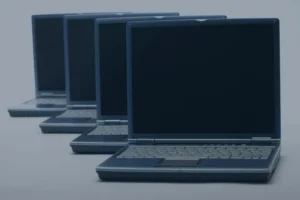
Most laptops last between 3 and 8 years.
Because laptops are compact, generate more heat, and rely heavily on batteries, they generally wear out faster than desktops. While some premium models can last much longer, battery degradation and limited upgrade options often shorten their useful lifespan.
Business Computers
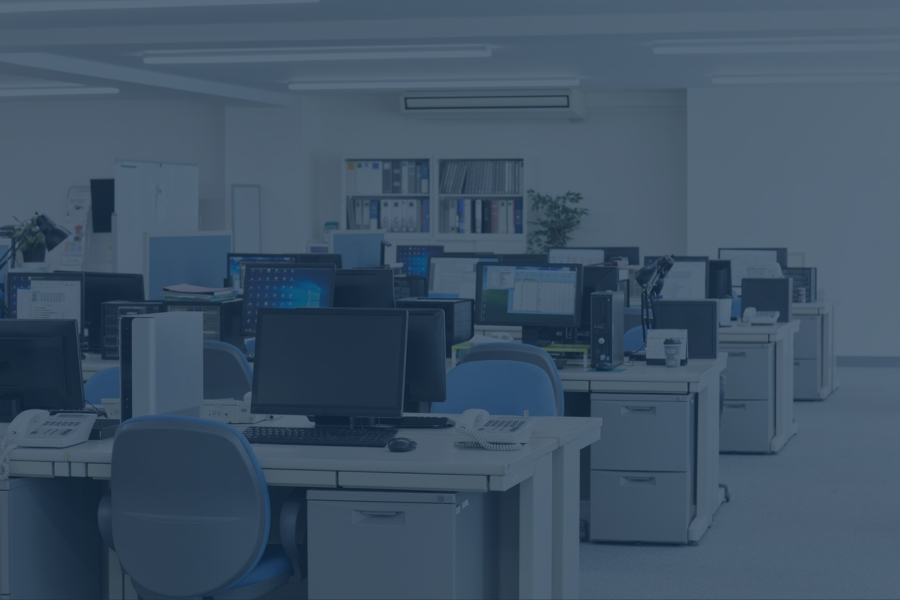
Business computers are often replaced every 3 to 7 years, even if they are still functioning.
Many organizations follow scheduled refresh cycles to maintain security, improve productivity, and ensure compatibility with newer software and operating systems.
Quick Lifespan Comparison
| Device Type | Average Lifespan |
| Desktop PC | 5–10 years |
| Laptop | 3–8 years |
| Gaming PC | 4–8 years |
| Business Computer | 3–7 years |
| High-End Workstation | 5–10+ years |
Why Some Computers Last Longer Than Others
Not all computers age at the same rate. Two systems purchased on the same day can have very different lifespans depending on how they are built, used, and maintained.
Build Quality
One of the biggest factors is hardware quality.
Premium computers typically use higher-quality components, better cooling systems, stronger power supplies, and more durable construction. Budget systems may work perfectly well at first, but lower-cost components can wear out faster or struggle to keep up with demanding workloads over time.
In general, business-class and premium computers tend to last longer than entry-level consumer models.
Heat Management
Heat is one of the biggest enemies of computer hardware.
Processors, graphics cards, batteries, and storage devices all generate heat during operation. When that heat cannot escape efficiently, components experience additional stress that can shorten their lifespan.
Dust buildup, blocked vents, failing fans, and poorly ventilated workspaces can all contribute to overheating. Keeping a computer cool often helps it remain reliable for years longer.
Usage Patterns
How a computer is used matters just as much as how it is built.
A computer used primarily for email, web browsing, and office work experiences far less stress than one used for:
- Gaming
- Video editing
- 3D rendering
- Engineering software
- AI workloads
- Large-scale data processing
Systems that regularly operate under heavy workloads tend to generate more heat and place greater demands on their components.
Maintenance
Regular maintenance can significantly extend a computer’s lifespan.
Simple habits such as:
- Cleaning dust from vents and fans
- Installing software updates
- Removing unnecessary files
- Managing storage space
- Running security scans
can help keep a computer operating efficiently and reduce wear on internal components.
Upgradeability
Desktops often outlast laptops because they can be upgraded more easily.
Adding memory, replacing a storage drive, installing a new graphics card, or upgrading a power supply can extend the life of a desktop for years. Most laptops offer fewer upgrade options, which means aging hardware is often harder to improve as software requirements increase.
How Long Do Desktop Computers Last?
Desktop computers generally have the longest lifespan of any personal computer.
Because they are larger, easier to cool, and more upgradeable, desktops can often remain productive long after many laptops would need replacement.
Advantages of Desktop PCs
Several design advantages help desktops last longer.
Better Airflow
Desktop cases provide more room for airflow, allowing heat to dissipate more effectively. Lower operating temperatures reduce stress on internal components.
Easier Repairs
When a component fails, desktops are usually easier and less expensive to repair. Individual parts can often be replaced without replacing the entire system.
Replaceable Parts
Storage drives, memory, graphics cards, power supplies, and cooling systems can often be upgraded or replaced as needed, helping extend the computer’s useful life.
Typical Desktop Lifespan
For most users, a desktop computer can reasonably be expected to last between 5 and 10 years.
Some systems may become outdated before they physically fail, while others continue operating reliably for well over a decade with occasional upgrades and maintenance.
When a Desktop Can Last Even Longer
Certain types of desktop computers often remain useful for many years because their workloads are relatively light.
Examples include:
- Office workstations used primarily for email and documents
- School computers used for basic educational software
- Reception desk computers
- Library computers
- Administrative workstations
When a system is not being pushed to its limits every day, it can often remain productive far longer than expected.
How Long Do Laptops Last?
Laptops are designed for portability and convenience, but those advantages often come with a shorter lifespan compared to desktop computers.
Why Laptops Wear Out Faster
Several factors contribute to the shorter lifespan of laptops.
Battery Degradation
Laptop batteries naturally lose capacity over time.
After years of charging and discharging, batteries hold less power, resulting in shorter runtimes and reduced portability.
Heat Buildup
Because laptop components are packed into a small enclosure, heat can accumulate more easily than in a desktop computer.
Consistently high temperatures can accelerate wear on internal components.
Physical Movement
Unlike desktops, laptops travel.
They are carried between offices, classrooms, homes, airports, and job sites. This increases the risk of drops, bumps, spills, and other physical damage.
Limited Upgrades
Many modern laptops have limited upgrade options. When memory, storage, or other components become outdated, replacing the entire laptop may be more practical than upgrading it.
Average Laptop Lifespan
Most laptops remain useful for 3 to 8 years.
Lower-cost consumer laptops often fall toward the shorter end of that range, while premium business and professional systems frequently remain productive for much longer.
Business vs Consumer Laptops
Business laptops are generally designed for durability, reliability, and longer service lives.
Common examples include:
- Lenovo ThinkPad series
- Dell Latitude series
- HP EliteBook series
These systems often feature stronger construction, better keyboards, enhanced security features, and components designed to withstand years of professional use.
Consumer laptops can still last many years, but they are often built with a greater emphasis on affordability than long-term durability.
Lifespan of Major Computer Components
A computer rarely fails all at once. More often, individual components begin wearing out or becoming obsolete over time.
Hard Drives (HDDs)
Traditional hard disk drives typically last 3 to 5 years.
Because they contain moving parts, HDDs are more susceptible to mechanical wear and failure than newer storage technologies.
Solid State Drives (SSDs)
Most SSDs last 5 to 10 years or more under normal use.
Because they have no moving parts, SSDs are generally more durable, faster, and more resistant to physical shock than traditional hard drives.
Laptop Batteries
Laptop batteries commonly last 2 to 5 years before noticeable degradation occurs.
Over time, batteries lose their ability to hold a charge, which is often one of the first signs of an aging laptop.
RAM
Memory modules are among the most durable computer components.
In many cases, RAM lasts for the entire lifespan of the computer and never requires replacement.
Motherboards
Motherboards can remain functional for many years, but they often determine when a computer reaches end-of-life.
When a motherboard fails, repairs can become expensive enough that replacing the entire system is often the more practical choice.
CPUs and GPUs
Processors and graphics cards frequently become outdated before they physically fail.
A CPU or GPU may still function perfectly after many years, but newer software, operating systems, and workloads can eventually exceed its capabilities, making replacement necessary even though the hardware itself remains operational.
10 Signs Your Computer May Be Nearing the End of Its Life
Most computers don’t fail overnight. In many cases, they give plenty of warning signs before a major problem occurs. Recognizing these signs early can help you decide whether it’s time for a repair, upgrade, or replacement.
Frequent Crashes
An occasional crash happens. Frequent crashes are another story.
If your computer regularly freezes, restarts unexpectedly, or closes programs without warning, aging hardware, software conflicts, or failing components may be to blame.
Extremely Slow Performance
A computer that once felt fast but now struggles with basic tasks may be nearing the end of its useful life.
If web browsing, opening files, or launching programs takes significantly longer than it used to, the system may be struggling to keep up with modern demands.
Long Startup Times
A healthy computer should not take several minutes to start.
Long boot times can indicate storage issues, aging hardware, excessive startup programs, or an operating system that is becoming difficult for the machine to handle.
Overheating
If your computer constantly feels hot or frequently shuts down because of temperature issues, it may be suffering from poor airflow, failing cooling components, or hardware that is working harder than it should.
Loud Fan Noise
Fans naturally make some noise, but constantly loud fans often indicate excess heat or internal strain.
A computer that sounds like it’s working overtime during simple tasks may be fighting an uphill battle to stay cool.
Blue Screen Errors
Frequent Blue Screen of Death (BSOD) errors on Windows systems are often signs of deeper hardware or driver issues.
While occasional errors can happen, repeated blue screens should not be ignored.
Battery No Longer Holds a Charge
For laptops, battery degradation is one of the most common signs of aging.
If your laptop only lasts a short time unplugged or requires constant charging, the battery may be nearing the end of its lifespan.
Inability to Run Modern Software
At some point, older computers simply cannot keep up.
If new software runs poorly, applications become unsupported, or multitasking becomes frustrating, the hardware may no longer meet today’s requirements.
Operating System No Longer Supported
Security updates matter.
When a computer can no longer run a supported operating system, it becomes more vulnerable to security risks and software compatibility problems.
Repair Costs Exceed Value
Sometimes the biggest sign is financial.
If repair costs approach the price of a newer system, replacement often makes more sense than continuing to invest in aging hardware.
What Should You Do With an Old Computer?
Once you’ve replaced a computer, don’t automatically assume it belongs in the trash.
There are several better options depending on the condition of the device.
Reuse
Older computers can sometimes be repurposed for lighter workloads, secondary workstations, or educational use.
Refurbish
In some cases, replacing storage, memory, or batteries can give an aging computer a second life.
Donate
Working computers may be valuable to schools, nonprofits, community programs, or individuals who need affordable technology.
Recycle
When a computer is truly at the end of its useful life, recycling is often the best option.
Computers contain reusable materials including:
- Aluminum
- Steel
- Copper
- Circuit boards
- Plastics
Throwing computers away sends these materials to landfills instead of allowing them to be recovered and reused.
Want to understand the bigger picture? Read our guide on the environmental impact of computers to learn how manufacturing, energy use, and disposal affect the environment throughout a computer’s lifecycle.
How Computer Recycling Helps Reduce E-Waste
Computer recycling plays an important role in reducing electronic waste and recovering materials that would otherwise be lost.
Many computers contain reusable metals, plastics, and electronic components that can be processed through appropriate recycling channels.
For businesses and organizations, recycling also supports responsible data management through secure data destruction practices.
Computer recycling can help:
- Protect sensitive data
- Recover reusable materials
- Reduce landfill waste
- Support sustainability initiatives
- Improve environmental reporting efforts
This is especially important for businesses, schools, healthcare facilities, municipalities, and government organizations that regularly replace large quantities of computer equipment.
Frequently Asked Questions About Computer Lifespan
How long should a computer last?
Most desktop computers last 5 to 10 years, while laptops typically last 3 to 8 years depending on usage, maintenance, and hardware quality.
How long do laptops usually last?
Many laptops remain useful for 3 to 8 years. Premium business laptops often last longer than budget consumer models.
Can a computer last 10 years?
Yes. A well-maintained desktop computer can remain functional for 10 years or more, particularly if it receives occasional upgrades.
What is the first computer part to fail?
Laptop batteries and traditional hard drives are often among the first components to show signs of wear.
Is it worth upgrading an old computer?
Often, yes. Upgrades such as SSDs and additional RAM can significantly improve performance and extend a computer’s useful life.
How do I know when it is time to replace my computer?
Frequent crashes, poor performance, unsupported software, major hardware failures, and costly repairs are all common indicators.
Should I recycle my old computer?
Yes. Computer recycling helps recover reusable materials, keeps electronics out of landfills, and supports responsible end-of-life management.
The Bottom Line
Most computers last far longer than many people think. A well-maintained desktop may remain useful for a decade or more, while many laptops can provide years of reliable service with proper care and occasional upgrades.
Eventually, however, every computer reaches a point where repairs become impractical, performance no longer meets current needs, or security support ends.
If your business, school, healthcare facility, or organization is replacing aging computers, EACR Inc. provides secure computer recycling services that help recover reusable materials while ensuring electronics are managed responsibly at the end of their lifecycle.