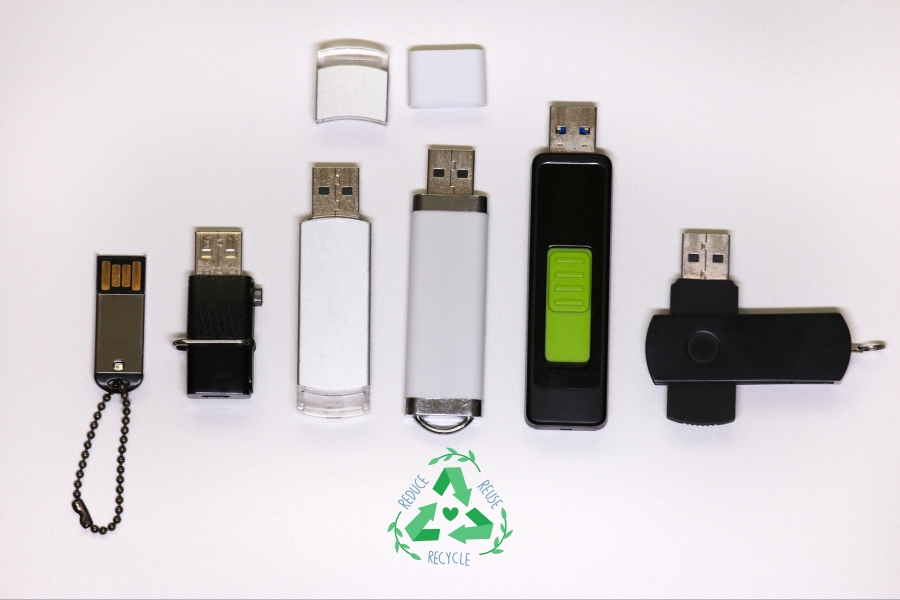
Flash drives are everywhere.
They end up in desk drawers, junk drawers, offices, schools, trade show giveaway bags, conference swag boxes, and forgotten IT closets. They’re small, convenient, and easy to overlook.
This guide explains how flash drive recycling works, how to protect your information before disposal, when local drop-off makes sense, and when businesses should consider scheduled pickups and data destruction services.
If your business has old flash drives, USB devices, or other electronics ready for disposal, EACR Inc. can help coordinate responsible e-waste recycling and documentation.
Quick Answer: Can You Recycle Flash Drives?
Yes. Flash drives can often be recycled through electronics recycling programs.
Most people fall into one of three categories:
- Small household quantities: Local electronics drop-off programs usually work well.
- School or office cleanouts: Electronics recycling containers make collection easier.
- Large volumes containing sensitive data: Scheduled pickup and secure data destruction are often the better option.
The biggest concern usually is not the plastic housing. It’s the information stored inside.
A flash drive that has been sitting untouched for years may still contain personal files, customer records, employee information, or other data you wouldn’t want ending up in the wrong hands.
What Counts as a Flash Drive?
Not every flash storage device looks the same.
Common Types of Flash Storage
Flash drives come in several forms, including:
- USB flash drives
- Thumb drives
- Memory sticks
- Promotional USB drives
- Security-encrypted drives
- USB-C flash drives
- OTG drives designed for phones and tablets
They may vary in size, shape, storage capacity, and security features, but they all serve the same purpose: storing and transferring digital information.
Why Type Matters
Different flash drives may require different handling depending on factors such as:
- Encryption features
- Physical condition
- Quantity being recycled
- Data sensitivity
- Documentation requirements
A single promotional USB drive found in a kitchen drawer is very different from hundreds of encrypted drives collected during an office cleanout.
Understanding what you have helps determine the right recycling approach.
What’s Inside a Flash Drive?
Flash drives may be small, but they’re more sophisticated than they look.
Small Device, More Than Plastic
A flash drive is essentially a tiny computer designed for one purpose: storing and moving data.
Inside, you’ll typically find:
- NAND flash memory chips
- Printed circuit boards
- Controllers
- Copper
- Gold plating
- Plastic housings
- Connectors
- Solder
These components work together to store information, connect with devices, and transfer files quickly.
Which Parts Are Reusable?
Many materials inside flash drives can enter appropriate recovery streams during recycling.
These may include:
- Copper
- Gold
- Circuit board materials
- Plastics
- Electronic components
While an individual flash drive contains small amounts of material, the numbers add up quickly when businesses, schools, or organizations retire large quantities of devices.
The Biggest Risk: Forgotten Data
For many people, the biggest recycling concern isn’t the device itself. It’s what’s stored on it.
Why Flash Drives Create Security Problems
Flash drives often contain information people forgot they saved years ago.
Examples include:
- Personal documents
- Tax records
- Medical files
- School records
- Password spreadsheets
- Customer information
- Employee files
- Financial data
Many flash drives sit untouched for years before someone finally decides to clean out a drawer or storage cabinet. By then, nobody remembers exactly what’s on them.
That uncertainty creates risk.
Option 1: Local Electronics Drop-Off
For many households, local drop-off programs are the simplest solution.
When Drop-Off Makes Sense
Drop-off is often the best choice for:
- One or two flash drives
- Household quantities
- Situations involving minimal data concerns
If you’re clearing out a few old USB drives from home, this route is usually straightforward.
Before You Go
A little preparation can make the process easier.
Before dropping off flash drives:
- Confirm the recycler accepts them
- Ask about data handling procedures
- Keep drives secure until they are turned in
Not every collection program accepts the same materials, so it’s worth checking ahead of time.
Option 2: Electronics Recycling Containers
Schools and businesses often need a more organized solution.
Best for Schools and Offices
Electronics recycling containers work well for:
- Employee desk cleanouts
- End-of-year school collections
- Routine electronics recycling efforts
- Small but recurring quantities of devices
Instead of relying on employees to remember individual drop-offs, organizations can centralize the process.
Why Containers Help
Collection containers offer several advantages:
- Centralized collection
- Less clutter
- Easier participation
- A more consistent process
For organizations managing electronics on an ongoing basis, containers can help keep old devices from piling up in cabinets, closets, and storage rooms.
Option 3: Scheduled Pickup and Data Destruction
For businesses, schools, and organizations managing larger quantities of flash drives, scheduled pickup is often the most practical option.
Best for Businesses
Scheduled pickup makes the most sense in situations such as:
- Office relocations
- IT refreshes
- Compliance-driven cleanouts
- Bulk USB collections
- Multi-site operations
When dozens or hundreds of flash drives are involved, trying to handle them one by one quickly becomes inefficient.
Why Pickup Simplifies the Process
A structured pickup process offers several advantages:
- Secure handling from start to finish
- Chain of custody documentation
- Organized recordkeeping
- Less employee involvement
- Controlled transportation
Instead of wondering who collected what or where devices ended up, businesses have a repeatable process that supports both security and accountability.
How to Prepare Flash Drives for Recycling
Flash drive recycling goes much smoother with a little preparation. Think of it as a small project: inventory, separate, label.
Step 1: Inventory
Start by identifying what you have.
Track details such as:
- Estimated quantities
- Site locations
- Encrypted drives
- Damaged drives
- Business versus promotional drives
Even rough estimates can help determine the right recycling approach.
Step 2: Separate by Condition
Not every drive should be grouped together.
Separate:
- Working drives
- Damaged drives
- Drives with unknown contents
- High-security or encrypted drives
This helps reduce confusion and ensures sensitive devices receive the appropriate handling.
Step 3: Package and Label
Clearly label collected drives with information such as:
- Site location
- Quantity
- Data sensitivity
- Contact person
- Condition notes
Simple labeling creates a cleaner process and supports documentation later on.
Data Destruction
For many organizations, the biggest concern isn’t recycling the device. It’s protecting the information stored on it.
Should You Wipe Flash Drives First?
Home users may choose to erase drives before recycling them if they know how to do so safely.
Businesses often require more formal procedures. Internal policies, regulatory requirements, and customer expectations may call for documented data destruction rather than relying solely on employee deletion.
Secure Data Destruction Options
Depending on the situation, data destruction methods may include:
- Logical wiping
- Physical destruction
- Shredding
The right approach depends on the level of security required.
Records to Keep
Businesses should consider maintaining records such as:
- Pickup records
- Quantity summaries
- Certificates of recycling
These records can support audits, internal reporting, and future reference.
Frequently Asked Questions About Flash Drive Recycling
Can flash drives be recycled?
Yes. Flash drives can often be recycled through electronics recycling programs.
Should I erase a flash drive before recycling it?
Home users may choose to erase drives before recycling. Businesses often require formal data destruction processes.
What happens to the data on recycled flash drives?
That depends on the service provided. Data-bearing devices may undergo wiping, physical destruction, or other approved data destruction methods.
Can businesses recycle large quantities of USB drives?
Yes. Scheduled pickups are often the best option for bulk quantities.
Are encrypted flash drives handled differently?
They may require additional tracking, documentation, or security measures depending on organizational requirements.
Can damaged flash drives still be recycled?
Yes. Damaged devices can often still enter electronics recycling programs.
What records should businesses keep?
Common records include pickup documentation, quantity reports, and certificates of recycling.
Can schools recycle old flash drives?
Yes. Schools often use collection containers or scheduled pickups during technology cleanouts.
Do flash drives contain reusable materials?
Yes. Flash drives can contain reusable metals, plastics, circuit board materials, and electronic components.
Does EACR Inc. recycle flash drives?
Yes. EACR Inc. can help coordinate flash drive recycling and related electronics recycling services.
Conclusion
Flash drives may be small, but they can create big problems when they’re thrown away without considering the electronics inside or the information they contain.
Whether you’re recycling one USB drive at home or managing thousands during an office cleanout, choosing the right process helps protect both data and reusable materials.
If your business is managing old flash drives, USB devices, or other data-bearing electronics, EACR Inc. can help coordinate secure pickup, responsible e-waste recycling, and the documentation you need to stay organized.