M.2 drive recycling starts with data protection because these drives are small, fast, and easy to forget—but they still hold sensitive information. They’re the little “gumstick” storage cards inside a ton of modern laptops and desktops, and they can carry everything from logins to customer files.
Here’s the promise: you’ll learn what M.2 drives are, how to spot NVMe vs SATA M.2, what “secure disposal” actually means, and the best recycling route depending on whether you have one drive or bulk business inventory.
This is for homeowners, IT teams, offices, schools, healthcare, finance, managed service providers, and anyone doing upgrades, refreshes, or cleanouts.
What is an M.2 Drive?
M.2 is a form factor, not a storage type
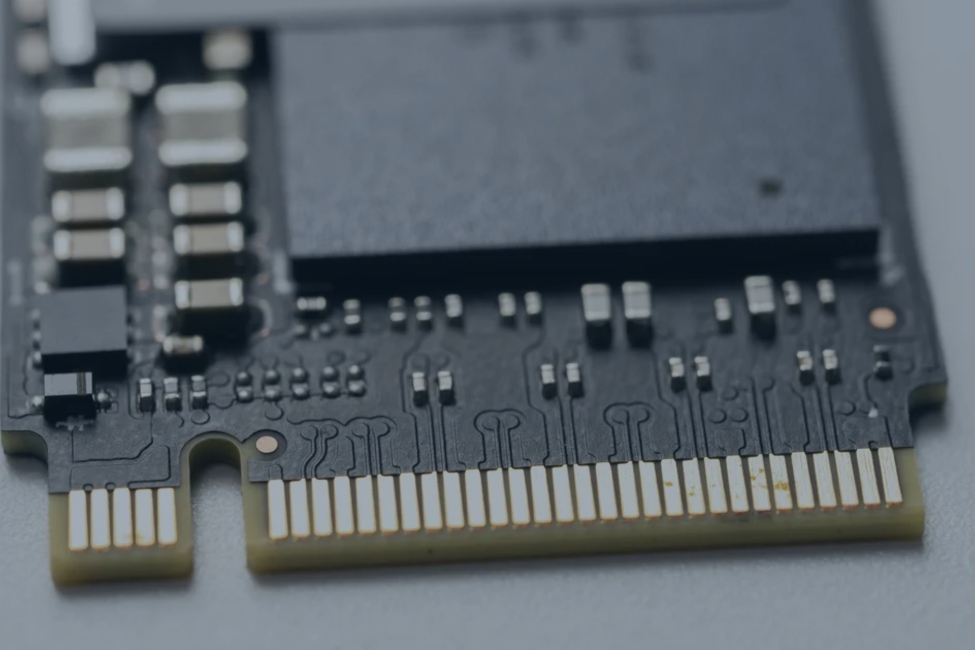
M.2 is the slim “gumstick” shape that plugs directly into a motherboard—usually held down by one small screw. Think of it as the physical format, not the technology inside it.
The most common use today is M.2 SSDs (solid-state drives). That means no spinning disks like old hard drives—just flash memory that’s fast and compact.
NVMe vs SATA M.2
There are two common interfaces you’ll see:
- NVMe (PCIe): most modern laptops, desktops, and workstations
- SATA M.2: older or entry-level systems
Practical takeaway: both are SSDs, but NVMe is the default today—and for higher-assurance sanitization, it often points you toward wiping/erase and/or physical destruction, not “delete files and call it a day.”
Where M.2 Drives Show Up (and who makes them)
Common use cases
M.2 drives are everywhere because they save space and perform well:
- Laptops and ultrabooks (space-saving internal storage)
- Desktops and gaming PCs (fast boot and load times)
- Workstations (creative and engineering workloads)
- Servers (boot drives, caching, fast storage pools—sometimes as enterprise variants)
Common brands you’ll see in the wild
You’ll commonly run into:
- Consumer: Samsung, Western Digital, Crucial/Micron, Kingston, SK hynix, Intel (legacy), Seagate
- Enterprise/context: Kioxia, Solidigm, Samsung enterprise lines, Micron enterprise lines
M.2 Drive Recycling vs Data Destruction (they’re not the same)
Data destruction is step one
Deleted files aren’t gone—especially with SSDs, which store and move data differently than HDDs. And depending on the drive and your risk level, software wiping may not be enough to meet policy or audit expectations.
Bottom line: for SSDs/M.2, you need a plan that matches the situation—personal cleanup is different from professional data destruction which is the first step towards recycling.
Recycling is the physical/material next step
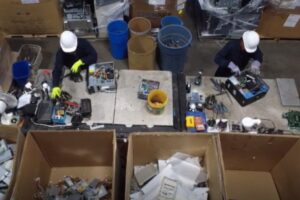
After destruction, recycling is what happens to the hardware itself: drives are processed through electronics recycling pathways where metals and circuit materials are handled through controlled downstream channels (rather than ending up in trash, or scrap piles.
Why Proper M.2 Disposal Matters
Security risk: tiny drive, huge exposure
M.2 drives often contain OS logins, saved browser sessions, customer data, tax files, patient information, credentials, and internal business documents. Their size makes them easy to lose—and that’s exactly why they need a controlled process.
Compliance + audit reality
Industries that care (and usually have to): healthcare, finance, legal, education, government, and MSPs.
What “good” looks like is simple and defensible:
- a documented destruction method that can provide certificates of recycling
- service records you can point to later
Environmental impact
E-waste is one of the fastest-growing waste streams. Recycling keeps materials in circulation and reduces the odds that electronics end up in landfill streams or get mishandled in ways that create downstream risk.
What Types of M.2 Drives Can Be Recycled?
Common M.2 sizes (help readers identify)
The most common sizes you’ll see are:
- 2230 / 2242 / 2260 / 2280 (most common) / 22110
Pro tip: the size is often printed on the label, and you can usually tell by length—2280 is the “standard” in a lot of PCs.
Consumer vs enterprise modules
Consumer modules usually come out of laptops and desktops.
Enterprise modules may come from servers or storage appliances and often require:
- tighter tracking
- more consistent documentation
M.2 enclosures and adapters
External “portable SSD” setups are often just an M.2 drive inside an enclosure. Recycle the enclosure as electronics too—don’t treat it like a simple plastic accessory.
The M.2 Drive Recycling Process
Step 1: Collection + inventory
M.2 drives get collected through:
- Drop-off
- Scheduled pickup
- Mail-in (case-dependent)
For businesses, start with the boring part (it’s the most important part): count the drives, note condition, and log where they came from before anything moves.
Step 2: Data destruction
Best-practice options usually fall into two lanes:
- Physical destruction (shredding / crushing / disintegration) for high-risk environments
Key point: Best-practice options usually fall into two lanes: verified data wiping (preferred, because it supports reuse) and physical destruction (used when wiping isn’t supported, can’t be verified, or policy/risk requires it).
Step 3” Material recovery / downstream routing
After sanitization/destruction, drives are routed for controlled processing. The circuit boards and metal fractions go through appropriate downstream pathways (not “mystery routing”).
Data Destruction for M.2 SSDs (what businesses should choose)
When software-based sanitization can be used
Software sanitization can be used when:
- You can run a verified secure erase
- The process is documented and you received a certificate of recycling afterwards
When physical destruction is the smarter default
Physical data destruction is usually the smarter default for:
- Regulated data (healthcare, finance, legal, education, government)
- Unknown drive history (found boxes, mixed sources, older inventories)
- Large refresh projects
- Multi-site collections with mixed drives and inconsistent handling
How to Prepare an M.2 Drive for Recycling
Step 1: Identify + record basics
Log the basics:
- Brand + capacity
- NVMe vs SATA (if known)
If unknown: treat it as an unknown SSD and handle it with the stricter assumptions.
Step 2: Don’t snap it, don’t drill it
DIY destruction sounds easy, but it can create problems:
- inconsistent outcomes
- safety issues
Step 3: Package safely
- Use an anti-static bag if available (nice-to-have, not required)
- Keep drives contained in a small container
- Don’t toss them loose into boxes with metal parts that can scrape, bend, or short things
Step 4: Keep drives separate from batteries
Don’t mix drives with loose batteries. It increases incident risk and makes sorting harder.
Where to Recycle M.2 Drives
Option 1 — Local electronics drop-off
Best for: a few drives from home upgrades.
Before you go:
- Confirm they accept loose components
- Ask if they provide any documentation like a certificate of recycling
Option 2: Business pickup + managed program (best for volume)
Best for: offices, schools, multi-site cleanouts, refresh projects, MSPs.
Why this route works:
- consistent routing
- documentation you can defend later
Option 3: E-waste containers for ongoing collection (easy mode)
Best for: IT closets, schools, facilities, and municipalities where drives show up continuously.
EACR Inc. can set up e-waste containers for consistent collection and coordinate service/pickup based on your volume—so drives don’t end up in desk drawers or random bins. They also run electronics recycling events, which can be useful for community collections or organization cleanouts.
Frequently Asked Questions about M.2 Drive Recycling
Are M.2 drives recyclable?
Yes. M.2 drives are recyclable as electronics—just route them through a controlled electronics recycling channel.
Is an M.2 drive the same as an SSD?
Not always. M.2 is the shape (form factor). Most M.2 drives today are SSDs, but the term itself describes the physical format.
What’s the difference between NVMe and SATA M.2?
Both can be M.2 SSDs. NVMe uses PCIe and is faster/modern; SATA M.2 is older/slower. For disposal, both still need secure data handling.
Can I wipe an M.2 SSD instead of destroying it?
Sometimes—if the drive supports a verified secure erase and your risk level allows it. For regulated or high-assurance needs, physical destruction is often the cleaner choice.
Can you recycle M.2 drives still inside laptops or servers?
Yes. Many programs accept devices intact and handle drive processing within the electronics recycling workflow—just communicate your data destruction requirements.