Most business servers last between three and seven years, although the actual lifespan depends on workload, hardware quality, maintenance, operating conditions, and the needs of the organization.
Understanding how long a server is likely to remain useful helps businesses plan budgets, avoid unexpected downtime, maintain security, and keep systems performing reliably. An older server may still turn on and function, but that does not always mean it is still the right fit for daily operations.
Many organizations replace servers before they completely fail. Common reasons include expired warranties, outdated operating systems, software compatibility issues, increased security risks, and larger infrastructure upgrades.
If your business is replacing outdated servers, learn more about EACR Inc.’s server recycling services.
Quick Answer: How Long Do Servers Last?
Most business servers remain in service for about three to seven years.
Some servers can continue operating much longer, especially when they are well maintained and used for lighter workloads. However, a server’s physical lifespan is not the same as its practical business lifespan.
A server may still function but no longer provide the performance, security, warranty coverage, energy efficiency, or software compatibility the organization needs. For this reason, many businesses replace servers before complete hardware failure.
What Determines a Server’s Lifespan?
Several factors affect how long a server remains reliable and useful.
Hardware Quality
Higher-quality servers are generally built with more durable components, better cooling, redundant power supplies, and stronger fault protection.
Enterprise-grade equipment may remain reliable longer than entry-level hardware, but component quality alone does not determine the full lifespan. Even well-built servers eventually face aging drives, power supplies, fans, memory, and other hardware issues.
Workload and Daily Usage
Servers running demanding applications around the clock experience more stress than systems used for lighter or occasional workloads.
Heavy database activity, virtualization, data processing, backups, and constant user traffic can increase wear on storage drives, processors, memory, fans, and power systems.
A server working near full capacity may also become outdated sooner because it has less room to support business growth.
Cooling and Environmental Conditions
Heat is one of the biggest threats to server hardware.
Servers need consistent airflow, proper ventilation, and controlled temperatures. Dust, humidity, poor cable management, blocked vents, and failing cooling systems can increase operating temperatures and shorten component life.
Servers kept in properly managed data centers or server rooms usually have a better chance of remaining reliable than equipment stored in hot, dusty, or poorly ventilated spaces.
Routine Maintenance
Regular maintenance can help prevent avoidable failures and extend the useful life of a server.
Maintenance may include:
- Monitoring temperatures
- Replacing failing drives
- Cleaning dust from equipment
- Checking fans and power supplies
- Installing firmware updates
- Reviewing system logs
- Testing backups
- Tracking hardware performance
Ignoring early warning signs can allow small issues to become larger failures.
Software and Operating System Support
A server may become outdated even when the hardware still works.
Operating systems, security tools, business software, and vendor platforms eventually stop supporting older equipment. Once updates and patches are no longer available, the server may create security, compatibility, and compliance concerns.
Software support is one of the most common reasons businesses replace servers before physical failure.
Average Lifespan by Server Type
Server lifespan varies by design, workload, operating environment, and upgrade strategy.
Rack Servers
Rack servers commonly remain in service for about three to six years.
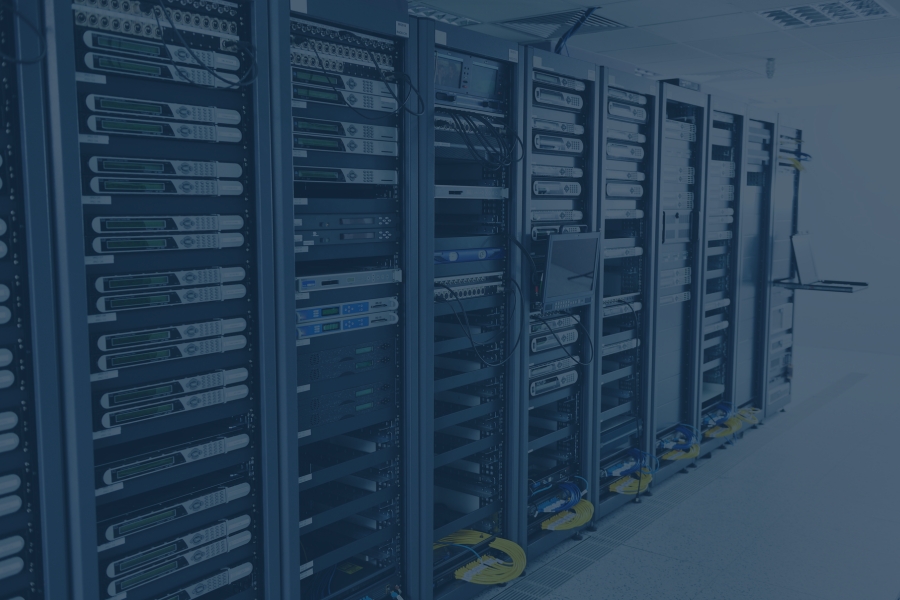
They are widely used in server rooms and data centers because they are compact, scalable, and easy to organize. Their lifespan depends heavily on cooling, workload, drive health, and whether replacement parts remain available.
Tower Servers
Tower servers often last between four and seven years.
They are commonly used by small and mid-sized businesses that need dedicated server capacity without a full rack system. Because they may support lighter workloads, some tower servers remain useful longer than heavily used data center equipment.
However, limited upgrade capacity and outdated software support can still make replacement necessary.
Blade Servers
Blade servers often remain in service for three to five years.
They are designed for dense computing environments and share power, cooling, and networking through a central chassis. Blade systems can be efficient, but they may be replaced sooner when organizations upgrade the entire chassis, need more computing density, or move to a different infrastructure model.
Enterprise Data Center Servers
Enterprise data center servers are often replaced on a three- to five-year cycle.
These systems may still be operational after that point, but large organizations often replace them based on warranty coverage, performance targets, energy use, security standards, and standardized refresh schedules.
A planned replacement cycle can help reduce downtime and make infrastructure costs easier to predict.
Signs It’s Time to Replace a Server
A server does not have to completely fail before it should be replaced. In many cases, waiting for a full breakdown creates unnecessary downtime, security risks, and emergency costs.
Common signs include:
- Frequent hardware failures
- Noticeable performance slowdowns
- Limited storage capacity
- Unsupported operating systems
- Missing security updates
- Rising maintenance costs
- Replacement parts becoming difficult to find
- Business growth outpacing the server’s capacity
Recurring drive failures, overheating, unexpected shutdowns, or power supply problems may indicate that the hardware is nearing the end of its reliable life.
Replacement may also make sense when the server can no longer support current applications, user demands, storage needs, or security requirements.
What Happens to Old Servers?
Organizations have several options when a server is removed from active service. The right choice depends on the equipment’s age, condition, performance, and data security requirements.
Upgrade Existing Hardware
Some servers can remain useful after receiving additional memory, storage, processors, or network components.
An upgrade may be practical when the server is still supported and the existing hardware can handle future workloads. It may not make sense when several components are outdated or warranty coverage has expired.
Repurpose Internally
Older servers may be reassigned to less demanding roles.
For example, a retired production server may be used for testing, backups, internal file storage, or employee training. Before redeployment, confirm that the equipment still meets security and performance requirements.
Sell or Redeploy
Servers with remaining useful life may be sold, donated, or transferred to another facility.
All data should be securely removed before the equipment leaves the organization. Businesses should also document the asset transfer and confirm who is responsible for future data handling.
Recycle Through a Licensed Electronics Recycler
Servers that are outdated, damaged, unsupported, or no longer useful can be processed through a licensed electronics recycler.
Before recycling, data-bearing devices should be securely sanitized or physically destroyed. The remaining equipment can then be dismantled and processed so reusable materials can return to manufacturing.
A documented recycling process can also help organizations maintain chain-of-custody records and track how retired equipment was handled.
Can Servers Be Recycled?
Yes. Servers contain many materials that can often be recovered and recycled, including:
- Steel
- Aluminum
- Copper
- Circuit boards
- Processors
- Memory modules
- Power supplies
- Wiring
- Storage drives
The exact recycling process depends on the server’s condition, configuration, and attached components.
Hard drives, solid-state drives, and other data-bearing devices require special attention. Organizations should follow an approved data destruction process before the equipment is recycled or transferred.
Recycling retired servers helps recover reusable materials while keeping electronic equipment out of the general waste stream.
Preparing Servers for Recycling
A clear preparation process can make server recycling more secure and efficient.
Inventory Equipment
Create an inventory of the servers and related equipment being retired.
Record information such as:
- Asset numbers
- Manufacturer and model
- Serial numbers
- Server location
- Storage devices
- Equipment condition
An accurate inventory helps track equipment from removal through recycling.
Back Up Important Data
Confirm that all required files, applications, and system configurations have been backed up or migrated.
Test the backup before removing or destroying storage devices. Once a drive has been physically destroyed, its data cannot be recovered.
Remove or Destroy Storage Media
Hard drives, solid-state drives, and other storage devices should be securely sanitized or physically destroyed according to company policy.
Some organizations remove drives before pickup. Others arrange for documented data destruction through their recycler.
The best approach depends on security, compliance, and chain-of-custody requirements.
Organize Equipment for Pickup
Group servers by location, equipment type, or project.
Remove unrelated waste and keep servers accessible for loading. Let the recycler know about stairs, loading dock restrictions, secure areas, oversized equipment, or limited pickup hours.
Schedule Recycling
Provide the recycler with:
- Number of servers
- Approximate weight
- Number of racks or pallets
- Pickup location
- Data destruction requirements
- Access and loading details
- Preferred timeline
Photos and equipment inventories can help the recycler plan the appropriate pickup process.
Frequently Asked Questions About Server Lifespans
How long do business servers usually last?
Most business servers remain in service for about three to seven years.
Actual lifespan depends on hardware quality, workload, maintenance, cooling, software support, and business requirements.
How often should servers be replaced?
Many organizations replace servers every three to five years, while others use them for six or seven years.
Replacement schedules are often based on warranty coverage, security support, performance needs, and infrastructure planning rather than complete hardware failure.
Can a server last 10 years?
Yes. A well-maintained server may continue operating for 10 years or longer.
However, older servers may have limited performance, higher energy use, unsupported software, unavailable replacement parts, and increased security risks.
What causes servers to fail?
Common causes include:
- Failed storage drives
- Power supply problems
- Overheating
- Fan failures
- Memory errors
- Dust buildup
- Electrical issues
- Heavy workloads
- Aging components
Consistent monitoring and maintenance can reduce some risks, but no server lasts forever.
Should I upgrade or replace my server?
An upgrade may make sense when the server is still supported and only needs more storage, memory, or processing capacity.
Replacement may be better when multiple components are aging, warranties have expired, software is unsupported, or the server can no longer meet business needs.
Can old servers be recycled?
Yes. Old servers can be dismantled and processed to recover steel, aluminum, copper, circuit boards, wiring, and other reusable materials.
Data-bearing devices should be securely sanitized or destroyed before recycling.
Does EACR Inc. recycle servers?
Yes. EACR Inc. provides recycling services for servers, storage equipment, networking hardware, and other commercial electronics.
Service options depend on the equipment type, quantity, location, and data destruction requirements.
Can businesses schedule server pickup?
Yes. Businesses can schedule pickup for individual projects, technology refreshes, data center decommissions, office relocations, and recurring electronics recycling programs.
Providing an equipment count, photos, location details, and data security requirements can simplify scheduling.
Conclusion
Most business servers remain in service for approximately three to seven years. The actual lifespan depends on hardware quality, workload, maintenance, cooling, software support, and the organization’s changing needs.
Replacing aging servers before complete failure can improve performance, reliability, security, and infrastructure planning. Once servers are retired, proper inventory management and secure data handling are essential.
Old servers can often be recycled so steel, aluminum, copper, circuit boards, and other reusable materials can return to manufacturing.
If your business is replacing aging servers, EACR Inc. can help coordinate secure pickup, responsible recycling, and documentation through our server recycling services.