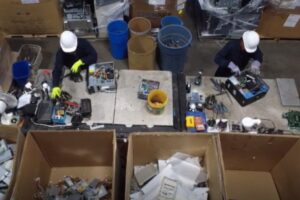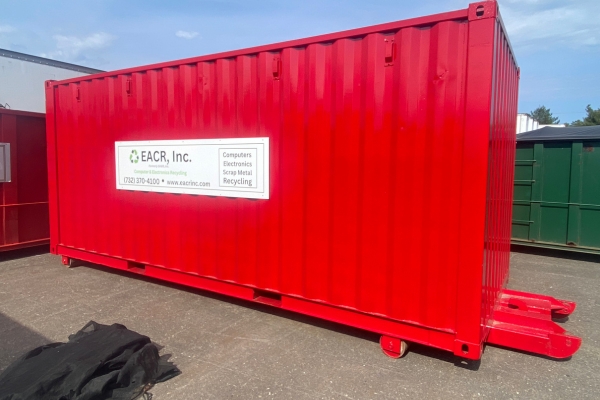
An e-waste container is an ongoing collection bin used by businesses, schools, and organizations to safely gather electronics for proper recycling. It keeps devices out of landfills, reduces safety risks, and helps you stay compliant—especially when equipment contains data or regulated components. As a simple rule: if it plugs in, powers on, stores data, lights up, or contains wiring/circuit boards, it usually qualifies.
Quick Answer
Most e-waste containers can accept electronics, IT equipment, small appliances, cables and wiring, and certain metals/scrap commonly found in workplaces and facilities. When in doubt, check the label, remove loose liquids, and keep items intact.
Want to see how our e-waste container service works in the real world? Watch this quick facility video to see a container loaded onto a truck and delivered for placement at a customer site.
Before You Toss It In: Container Rules That Prevent Problems
Keep Items Intact
Don’t smash, cut, or dismantle devices. Keeping equipment whole protects workers, prevents leaks or sharp hazards, and makes it easier to process materials correctly.
Separate These If You Can
If possible, keep these grouped or bagged separately:
- Loose batteries
- Ink/toner
- Small cables and adapters
It’s safer, it speeds up sorting, and it helps everything end up in the right recycling stream.
Data-Bearing Items Need a Plan
Anything that stores data should be treated differently—even if it’s “old” or “broken.” This includes hard drives, desktops, laptops, phones, copiers, and printers. Secure data destruction and documented destruction are standard best practices for businesses.
Computers, Laptops, and IT Hardware
This is the most common category people use e-waste containers for. If it’s office tech, it almost always belongs here.
Computers and Core Devices
- Desktops
- Laptops
- Monitors (CRT & LCD)
- Tablets
- E-readers
Internal Computer Parts
- Motherboards
- Circuit boards
- Computer memory
- Power supplies
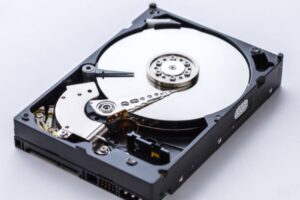
- Hard drives
- PC scrap
Networking and Telecom Equipment
- Modems
- Networking equipment
- Telecom equipment
- Cell phones and telephones
- Police scanners and pagers
Computer Accessories and Peripherals
- Keyboards, mice, and PC speakers
- Computer periphery and parts
- Handheld / table mounted scanners
Cables, Chargers, and Power Equipment
This category adds up fast in offices and warehouses, and it’s exactly what e-waste containers are built for.
Wire and Cable Streams
- All types of wire & cables
- AC adapters
- Power supplies
Battery Backup and Power Management
- Uninterrupted power supply (UPS)
- Battery backups
Office Equipment and Business Electronics
If it’s the kind of device you’d find in an office, school, warehouse, or retail back room, it’s usually fair game for an e-waste container—especially anything with a circuit board, motor, or power supply.
Printing, Copying, and Document Devices
These are some of the most common container items:
- Home printers and office printers
- Fax machines
- Copiers
- Scanners
- Or just bulk loads of printers/copiers/scanners/fax machines from an upgrade or cleanout
Supplies and Consumables
These are small, but they add up fast:
- Toner cartridges
- Ink jet toners and ink bottles
POS and Retail Equipment
Retail electronics count as e-waste too:
- Cash registers
- Scales
Security and Facility Tech
These are often forgotten, but they belong in the stream:
- Security equipment
- Sprinkler systems (control components and related electronics)
Consumer Electronics and Home Devices
A lot of “everyday” electronics are still e-waste. If it’s a gadget, it’s usually recyclable.
Entertainment and Media
Common household electronics that can go in an e-waste container include:
- Audio and video equipment
- Televisions
- Game consoles
- VCR, DVD, Blu-ray, LaserDisc, and CD players
- MP3 players / iPods
- Radios, stereo components, speakers, etc.
- Portable radios
Small Devices
These are easy to toss in during cleanouts:
- Calculators
- Cameras, video equipment, telescopes, etc.
- Hoverboards
Appliances Accepted
Appliances qualify when they contain electronics, wiring, motors, or control boards—which is basically all modern appliances. For clarity, here’s how to think about it.
Refrigeration and Cooling
These are common “bigger” items that still belong in the e-waste stream:
- Refrigerators
- Freezers
- Wine coolers
- Water coolers
- Air conditioners
- Dehumidifiers and humidifiers
Appliances With Electronics and Motors
These are often accepted because they’re packed with wiring and boards:
- Microwaves
- Washers, dryers, & dishwashers
Motors, Transformers, and Industrial Electrical
If it powers motion or controls electricity, it typically qualifies:
- All motors
- Transformers
- Ballasts (non-PCBs)
- Light fixtures
- LED lights
Metals and Scrap Streams That Often Go With E-Waste
A lot of construction projects generate scrap metal alongside electronics—especially during cleanouts and decommissions.
Common Metals Accepted
- Aluminum, brass, light iron, and copper
- Copper, brass, steel
- Metal (baled or loose)
- Radiators
Items That Need Special Handling
A clean container load gets processed faster, costs less to sort, and avoids safety issues.
Pressurized or Regulated Items
Propane tanks are a common question. Some programs accept them, some don’t. If they’re accepted, it’s usually under specific conditions (for example: valve closed, no visible damage, stored upright, and kept separate). If you’re not sure, don’t toss it in—flag it and coordinate pickup rules first.
Fire and Safety Devices
Fire extinguishers are accepted in our e-waste containers, read our guide about recycling fire extinguishers here.
Batteries (Depends on Type)
Batteries are recyclable, but they’re also the most common reason loads get flagged. Best practice:
- Keep loose batteries separated when possible.
- If a battery looks swollen, damaged, or leaking, don’t toss it in with general e-waste—bag it, isolate it, and coordinate handling.
- Different types (like lead-acid vs rechargeable) often follow different downstream processing streams, so separation helps.
How to Stage Items for Pickup or Ongoing Container Service
A little staging discipline keeps pickups smooth and prevents broken equipment, spill risks, and rejected loads.
Best Practices for Businesses
- Keep everything dry. Water + electronics = a mess for safety and processing.
- Stack safely. Heavy items on the bottom. Don’t crush screens or fragile devices.
- Don’t overload. If the container is full, don’t force it—overflow creates damage and safety hazards.
Documentation and Compliance
If this is for a business, school, municipality, or facility, documentation matters.
- Request a Certificate of Recycling (and keep it on file).
- For anything with storage—computers, hard drives, phones, printers/copiers—ensure that data destruction is performed when needed.
Conclusion
Most electronics, IT equipment, cables, batteries (with rules), office devices, and many appliances can go in an e-waste container. Keep items intact, separate the problem categories (especially batteries), and don’t guess on anything that’s pressurized or could leak.
If you want to keep it simple, request a quote, schedule an e-waste container drop-off, or ask for an acceptance list based on your location and waste stream.