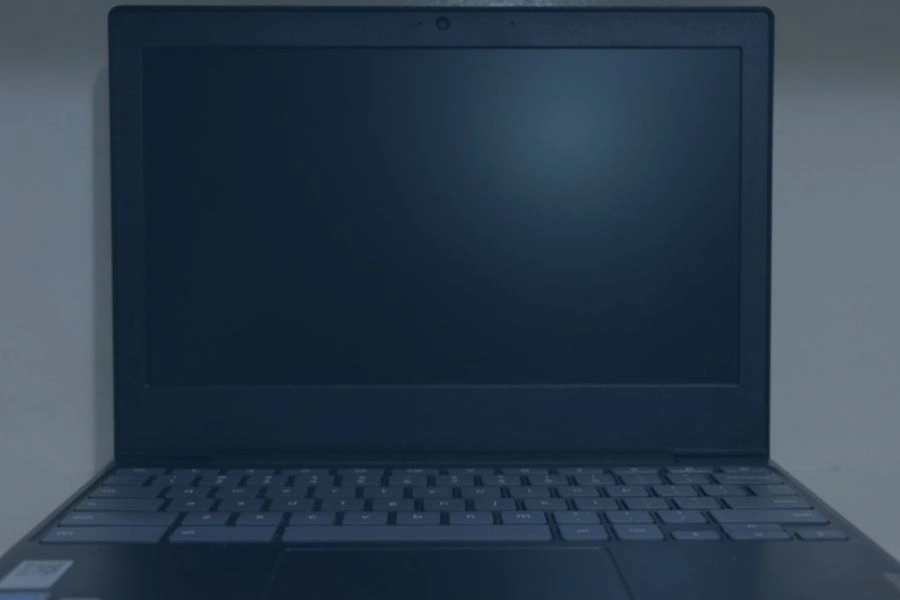
Chromebooks became popular because they were affordable, simple, and easy to manage. Schools, businesses, and other organizations often purchased them in large quantities because they provided a straightforward way to give users access to web-based tools and everyday computing.
But a Chromebook’s useful life is not determined only by whether its screen, battery, keyboard, and processor still work. Older models eventually reach their Auto Update Expiration (AUE) date, when Google stops providing automatic ChromeOS and security updates. The laptop may still turn on and perform basic tasks, but the software environment around it has stopped moving forward.
That raises a bigger question: What happens when hundreds or thousands of functional laptops reach the end of software support before the hardware actually fails? For Chromebooks that are outdated, unsupported, damaged, or being replaced, EACR’s Chromebook recycling services provide an end-of-life option when continued use is no longer practical.
What is Chromebook Auto Update Expiration?
Auto Update Expiration is the point when a Chromebook stops receiving automatic ChromeOS and security updates from Google.
Reaching AUE does not normally mean the laptop suddenly shuts down or becomes completely unusable. Instead, it creates a much slower form of obsolescence.
Once updates stop:
- Security updates stop arriving
- ChromeOS no longer advances
- New features stop being added
- Website and application compatibility can gradually decline
- Schools and businesses may no longer want the device connected to their networks
The Chromebook can still physically work while becoming increasingly outdated from a software and security standpoint.
That makes software support an important part of the device’s real lifespan.
Older Chromebooks Reached End of Support in Just a Few Years
A number of older Chromebooks reached their update expiration dates after only about five or six years of service.
That does not necessarily mean their screens failed, batteries died, or processors stopped working. It means software support ended while the hardware could still have useful life remaining.
| Chromebook | Brand | Released | Updates Ended | Supported Life | E-Waste Impact |
| Chromebook Pro | Samsung | 2017 | Jun. 2023 | 6.2 years | Working hardware could become less practical once security and ChromeOS updates stopped |
| Chromebook Plus | Samsung | 2017 | Aug. 2023 | 6.5 years | Loss of updates can push an otherwise functional laptop toward replacement |
| Chromebook 13 3380 | Dell | 2017 | Jun. 2023 | 6.3 years | Software support ended before the hardware necessarily failed |
| Chromebook 11 3189 | Dell | 2017 | Jun. 2022 | 5.3 years | Unsupported devices may be removed from school or business fleets |
| Chromebook 11 3180 | Dell | 2017 | Jun. 2022 | 5.3 years | Security-support loss can shorten the practical life of functioning hardware |
| Chromebook 3 | Samsung | 2016 | Jun. 2022 | 5.6 years | An otherwise usable laptop can become obsolete because updates stop |
| Chromebook 15 CB3-532 | Acer | 2016 | Jun. 2022 | 5.7 years | End of updates can accelerate replacement and eventual e-waste |
| Chromebook Pixel | 2015 | Jun. 2021 | 6.3 years | Even a premium Chromebook could outlive its software-support window | |
| Chromebook 14 G3 | HP | 2014 | Oct. 2019 | 5.0 years | Hardware life and software life did not necessarily end together |
| Chromebook 11 | Dell | 2014 | Jun. 2019 | 4.7 years | Support expiration could make a still-working computer less useful |
The pattern is what matters.
Several of these computers stopped receiving updates after roughly five to six years, even though laptops can physically remain functional beyond that point.
That gap between hardware life and software life is where the e-waste problem starts.
The Chromebook Still Works — So Why Replace It?
Reaching AUE does not automatically mean a Chromebook is dead.
An unsupported Chromebook may continue working for some time, especially for basic tasks. The problem is that its software environment becomes increasingly outdated.
What an Unsupported Chromebook May Still Do
Depending on its condition, an older Chromebook may still:
- Power on normally
- Connect to Wi-Fi
- Run existing software
- Browse websites
- Access locally stored files
- Perform basic computing tasks
For some users, that may be enough to keep the computer in service.
If a Chromebook still does what someone needs and can be used appropriately, there is no reason to treat it as e-waste simply because it reached a certain age.
The Problem is What Happens Next
The limitations become more important over time.
Once updates stop:
- Security protections stop advancing
- ChromeOS becomes increasingly outdated
- Browser compatibility can decline
- Applications and websites may begin requiring newer software
- New ChromeOS features stop arriving
- Schools and businesses may decide unsupported devices no longer meet their security requirements
That is why an AUE date can function like a software-based end-of-life date even when the computer itself still works.
The hardware may have years left. The supported software environment does not.
Chromebook E-Waste Can Become a Large-Scale Problem
The Chromebook issue becomes much more significant when you look beyond a single laptop.
Schools and organizations often purchased Chromebooks by the:
- Classroom
- Grade level
- School
- District
- Department
- Entire organization
That means hundreds or even thousands of similar devices may reach the same update deadline within a relatively short period.
An individual owner might decide to keep using one unsupported Chromebook. A school district or large organization has a different problem. It may suddenly have an entire fleet of devices that need to be evaluated, reassigned, replaced, resold, donated, or recycled.
That creates the potential for a fleet-level e-waste problem.
The hardware does not necessarily fail all at once. The software-support clock simply reaches the same point across a large number of devices.
When that happens, software policy can influence when an entire generation of otherwise functioning computers leaves active service.
Chromebooks Are Part of a Bigger Software Obsolescence Problem
Chromebooks are not the only electronics affected by this problem.
More devices now depend on operating systems, cloud services, security updates, and software compatibility to remain useful. When that support ends, the hardware can still work while the practical lifespan of the device starts shrinking.
Windows PCs Face the Same Issue
Older Windows PCs have faced a similar problem.
A computer may still have a working processor, storage drive, memory, screen, and battery while losing supported access to the operating system it was designed around.
Our article on Windows 10 support and e-waste looks at how software requirements can push otherwise functional computers toward replacement before the hardware itself fails.
Kindles and Smartwatches Show the Same Pattern
The same thing can happen with much smaller devices.
Older Kindles may still display books while losing access to the cloud services surrounding them. Our article on Kindle software support and e-waste looks at how working e-readers can become much less useful when online support disappears.
Chromebooks, PCs, Kindles, and smartwatches are different devices, but they all show that modern electronics can reach the end of their software life before reaching the end of their hardware life.
Should an Unsupported Chromebook Be Recycled Immediately?
No.
Reaching the end of software support does not automatically mean a Chromebook should be recycled.
If the device still works and can be used appropriately, extending its life may make more sense.
Possible options include:
- Continued limited use
- Reassignment
- Resale
- Donation where appropriate
- Repurposing for less demanding tasks
Recycling becomes more practical when:
- The Chromebook is physically damaged
- Battery health has significantly declined
- Performance is no longer adequate
- Software limitations make continued use impractical
- The device has already been replaced
- An organization is retiring an entire fleet
- There is no realistic reuse option
The goal should be to keep usable electronics in service when it makes sense, then recycle them once continued use is no longer practical.
Why Chromebook Recycling Matters
Chromebooks may be lightweight computers, but they still contain electronic components and materials that should not simply be treated like ordinary waste.
A typical Chromebook may contain:
- Rechargeable battery
- Circuit boards
- Processor and memory
- Display
- Wiring and connectors
- Metal components
- Plastic housing
The issue becomes more significant when schools, businesses, or organizations retire hundreds of units at once.
A structured Chromebook recycling program gives organizations a way to handle large quantities of outdated electronics instead of storing them indefinitely or disposing of them as regular waste.
Data should also be considered before devices leave an organization. Chromebooks used by schools and businesses may have been connected to user accounts, internal systems, or organizational data, so proper data handling should be part of any large equipment retirement project.
Software Support Is Now Part of a Computer’s Lifespan
There was a time when the end of a computer’s life was easy to understand.
The hard drive failed. The screen broke. The motherboard stopped working. The computer physically reached the end.
Modern connected devices have changed that.
Today, practical lifespan depends on more than hardware:
Hardware lifespan + software support + security support + compatibility = practical lifespan.
A Chromebook may physically continue working long after its supported software environment has stopped advancing.
That gap between hardware life and software life is where software obsolescence can contribute to e-waste.
Conclusion: When Updates End Before the Laptop Does
Many older Chromebooks reached their Auto Update Expiration dates after roughly five to seven years. That did not necessarily break the laptops. It meant ChromeOS and security updates stopped, making the devices increasingly outdated even while the hardware could continue functioning.
The impact becomes much larger when an entire school, district, business, or organization reaches that point across hundreds or thousands of devices at once. When unsupported Chromebooks are no longer practical to reuse, EACR’s Chromebook recycling services provide schools, businesses, organizations, and individuals with a responsible way to retire unwanted devices.