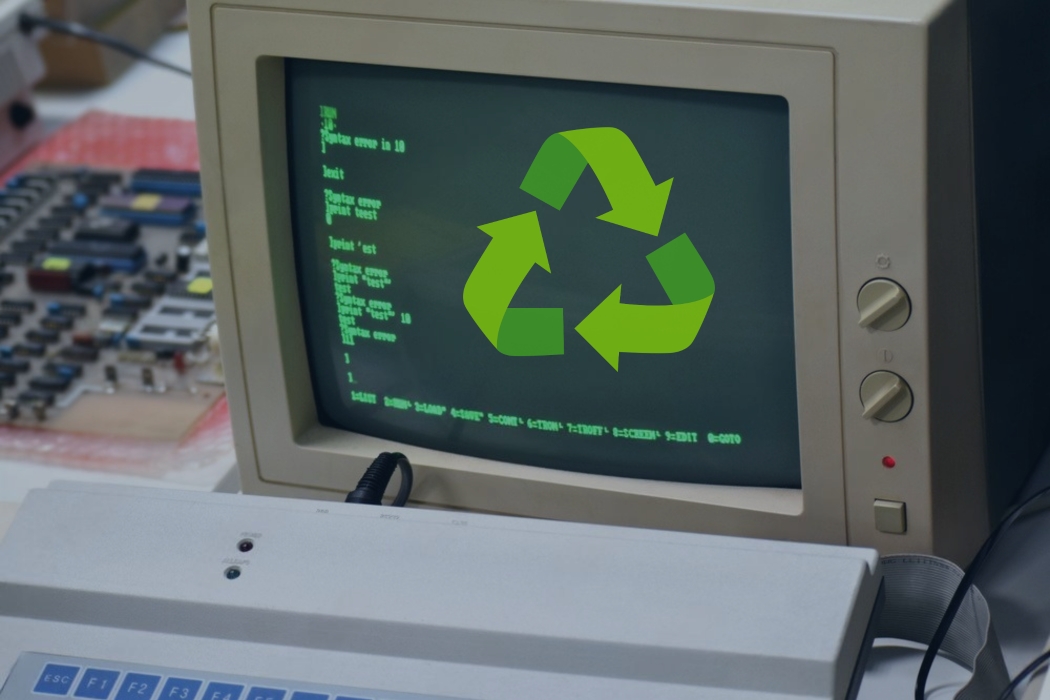
Monochrome monitors (green/amber/page white) were the default display for early terminals and PCs before color screens took over—and that history is why monochrome monitor recycling is its own category.
Most monochrome monitors are CRT-based, which means heavy glass + electronics and very different handling than modern flat screens.
You’ll learn what counts as a monochrome monitor, what it’s made of, why it’s risky to trash, and the best recycling route for one unit vs bulk.
What is a Monochrome Monitor? (quick history + definition)
“Monochrome” in plain English
A monochrome monitor displays text and images using one phosphor color (green, amber, or white) with different brightness levels—not full color.
They’re commonly tied to terminals and early PCs, and the “green screen” look became the shorthand for old-school computing.
Where they came from (fast timeline)
Teletype → terminals → CRT monochrome monitors → later color CRTs → LCDs.
You’d see them in early business terminals, office systems, and PC-era setups built for clean, readable text.
Why they stuck around longer than people think
They were sharp, easy to read, and built to run forever—so they stayed in service in places like cash registers/POS, industrial systems, and older office equipment long after color displays became common.
How to Tell If Yours Is a CRT Monochrome Monitor
The fastest identification checklist
- Deep back (not a thin panel)
- Heavy weight (the glass is most of it)
- Glass screen, often slightly curved
- Older inputs/connectors depending on system and era
- Thicker casing than early flat panels
If it feels like a small microwave and looks like a box, it’s probably a CRT.
Monochrome CRT monitors vs CRT TVs
They share the same core CRT hazard profile: glass tube + internal electronics.
The logistics are different, though: monitors are usually smaller than CRT TVs, but they’re still heavy, awkward, and breakable—so the handling rules stay basically the same.
What’s Inside a Monochrome CRT Monitor
The big materials (what recyclers care about)
- CRT glass (the dominant weight)
- Metals (steel frame, copper wiring, small metal components)
- Plastics (housing and internal parts)
- Circuit boards (electronics components)
Phosphor and “screen color” basics
The green/amber/page-white color comes from phosphor coatings inside the screen that create the visible image.
Key point: the tube is still the main handling concern because it’s glass-heavy and break-prone.
Why these monitors are heavy
CRTs are thick glass vacuum tubes by design. The weight isn’t extra—it’s the structure that makes the technology work.
Environmental and Safety Reality
Why you can’t treat it like regular trash
CRTs can break during normal handling and spread glass and electronics debris.
Once it’s shattered, cleanup is harder, the load is harder to manage, and routing gets more complicated fast.
What can go wrong in the real world
- Curb placement → weather + tipping + impact → breakage
- Dumpsters → crushing/compaction → broken tube
- Storage piles → eventually moved quickly → drops and cracks
Why controlled routing matters
You want a program that keeps CRTs intact through collection and moves them through a dedicated CRT workflow—not a “mystery load” where nobody knows what happened after pickup.
Recycling Options Ranked by Practicality
Option 1: Electronics recycler drop-off
Best for: homeowners or small cleanouts where you can transport safely.
What to confirm before you drive: CRT acceptance, quantity limits, and packaging rules (some sites won’t take cracked tubes, and some require specific boxing).
Option 2: Scheduled pickup
Best for: schools, municipalities, warehouses, property managers, and multi-site cleanouts.
Benefits: fewer handling incidents, smoother logistics, and documentation such as certificates of recycling so the job doesn’t turn into a “where did it go?” situation later.
Option 3: Community electronics recycling events
Best for: residents and organizations looking for a simple one-day solution.
Reality check: event rules vary. Always confirm CRT acceptance, limits per vehicle, and whether there’s a fee before you load the car.
Option 4: E-waste containers for ongoing collection
Best for: facilities where legacy electronics show up over time (old POS gear, storage closets, phased upgrades).
EACR Inc. can place e-waste containers at businesses, schools, and municipalities so collection stays consistent and pickups happen when volume hits a threshold.
How to Prepare a Monochrome Monitor for Recycling
Step 1: Don’t open it
CRTs are not DIY teardown items.
If the screen/tube is cracked: treat it as higher-risk, minimize movement, and don’t try to “secure” it by taking it apart.
Step 2: Move it like it can break (because it can)
- Two-person carry for heavier units
- Keep it upright
- Don’t put heavy items on top
- Don’t let it slide loose in a truck bed
Step 3: Simple protection goes a long way
Cardboard or a blanket around the screen area is fine.
If a box or tote prevents shifting, use it—movement is what causes most cracks.
Step 4: Staging rules for businesses
- Keep indoors, dry, and away from traffic/edges
- Avoid stacking unless it’s stabilized and actually designed for stacking
- Don’t let it become a hallway obstacle that eventually gets bumped over
What Happens After Collection
Intake and CRT separation
CRT monitors get split out from flat screens and general electronics early.
Intact vs broken units are often handled differently because breakage changes how they’re processed and contained.
Controlled processing and material routing
Goal: manage the CRT tube appropriately and separate metals, plastics, and electronics.
Downstream matters: you want transparent routing through a real CRT workflow—not unknown dumping.
Documentation (especially for organizations)
For bulk programs, expect service records and reporting that supports vendor oversight, audits, and internal sustainability tracking.
Bulk Recycling for Schools, Municipalities, and Facilities
The three scenarios that cause the most problems
- “We found a storage room of old monitors.”
- Renovations/cleanouts where electronics suddenly pile up
- Multiple sites where items appear gradually and never get consolidated
A simple SOP (operationally clean)
- Inventory by site and condition
- Stage indoors, upright, protected
- Schedule pickup before stockpiles become a safety issue
- Request documentation for vendor management
Common Mistakes (that create damage and liability)
- Leaving monitors outside or at the curb
- Tossing CRTs into dumpsters or compaction streams
- Stacking without stabilization
- Mixing CRTs with other breakables so one drop becomes a mess
Conclusion: Make it boring and controlled
Treat it like a CRT, keep it intact, pick drop-off vs pickup based on volume, and avoid curb/dumpster handling—those are the moves that prevent breakage and headaches.
If you’re clearing out monochrome monitors at a school, facility, or municipal site, EACR Inc. can coordinate containers, pickups, and documentation to keep the project controlled from start to finish. Contact us today.