Keyboard recycling matters more than people think—because even a “simple” keyboard is still electronics, not curbside trash. Tossing one in the bin usually means it ends up landfilled or burned, and that’s where mixed plastics, metals, circuit boards, and (sometimes) batteries become a real environmental and safety problem.
This guide makes it easy. You’ll learn what keyboards are made of, why those materials matter, and the simplest recycling routes depending on what you have and how many you’re getting rid of.
If you want a clean, compliant way to handle this, EACR Inc helps both businesses and residents recycle electronics the right way—whether it’s a couple peripherals or an entire office cleanout.
What counts as a “keyboard” for recycling purposes
Wired desktop keyboards
The classic USB keyboard is still e-waste. It’s a mix of plastic housing, wiring, and internal circuitry—even if it looks basic.
Wireless keyboards (and why batteries change the handling rules)
Wireless models are the same idea, plus batteries. That matters because batteries change how you store, transport, and process the device—especially if anything is damaged.
Laptop keyboards vs external peripherals
Laptop keyboards aren’t really “standalone” in the recycling world. They’re integrated into a larger device assembly (top case, palm rest, internal cabling), so they’re usually handled as part of laptop recycling, not as a loose peripheral.
Specialty keyboards: mechanical, gaming, ergonomic, POS/industrial, silicone/medical-grade
These can include extra boards, lighting, metal plates, more wiring, built-in hubs, or unusual materials (like silicone). Same end result: they’re still electronics and belong in an e-waste stream, not the trash.
What keyboards are made of
Core materials you’ll typically find
Most keyboards include a predictable mix:
- Plastics: ABS/polycarbonate housings, keycaps
- Metals: steel plates, aluminum frames, fasteners
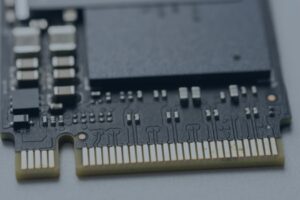
- Circuitry: PCB (circuit board), wiring, solder
- Rubber/silicone: membranes, domes, internal pads
- Small electronics: controller chips, LEDs, ports, connectors
- Batteries (wireless): AA/AAA or rechargeable lithium packs
Why “it’s mostly plastic” is misleading
A keyboard can look like “just plastic,” but inside it’s a mixed-material electronic device with circuitry, metal, and sometimes batteries. That mix is exactly why curbside recycling doesn’t work—and why proper keyboard recycling exists in the first place.
Environmental impact: why keyboard materials matter
Plastics
Keyboard plastics don’t just disappear. They break down slowly, can fragment into microplastics, and often include additives or pigments that complicate processing and reuse.
Circuit boards + metals
The internal board and wiring contain recoverable metals like copper and aluminum. When keyboards get trashed, those materials are simply lost, which increases the need for virgin extraction (more mining, more energy, more emissions).
Batteries (wireless keyboards)
Batteries are the highest-risk component—especially if they’re damaged, loose, or shorted. When possible, remove them and handle them separately. If you can’t remove the battery safely, don’t force it—just keep the device protected and route it through a proper electronics recycler.
Big picture takeaway
Keyboard recycling keeps mixed electronics out of landfills and routes materials back into responsible recovery streams—reducing waste, reducing extraction, and lowering the risk from battery-related incidents.
Can keyboards be reused or donated
When reuse makes sense
Donate or reuse a keyboard if it’s:
- Clean and fully functional
- Has a modern connector (USB/Bluetooth)
- Not missing keys
- Not sticky or damaged from spills
- Easy for someone else to plug in and actually use
When recycling is the better move
Recycle it if it’s:
- Broken, intermittent, or missing keys
- Spill-damaged, sticky, or warped
- Heavily worn (especially shared-use keyboards)
- Using outdated or proprietary receivers that are no longer available
Business note: stop the storage pileups
For businesses, the biggest win is consistency. Standardizing device retirement (what gets kept, what gets recycled, and when) prevents the classic IT closet problem: boxes of “maybe someday” peripherals that turn into clutter fast.
How keyboard recycling works
Collection and sorting
Recyclers start by sorting: basic peripherals, items with batteries, and mixed electronics loads. This step matters because batteries and damaged devices require different handling.
Manual disassembly (where practical)
When it makes sense, keyboards may be opened to remove batteries and separate obvious components (like larger metal pieces). This reduces risk and improves downstream processing.
Size reduction / shredding
Most keyboards are processed through controlled shredding or size reduction so materials can be separated more efficiently.
Downstream separation and recovery
After shredding, material streams are separated into recoverable fractions—metals, plastics, and circuit-board material—so they can be sent to the appropriate recovery partners.
Where materials typically go
Recovered metals and plastics can re-enter manufacturing streams, and circuit-board material is routed for specialized processing. That’s the point: keeping useful commodities in circulation instead of burying them.
Keyboard recycling options
Option 1: Manufacturer take-back or return-label programs
When it fits
Best when the device is program-eligible, or when a vendor includes return shipping as part of a replacement cycle.
High-level steps
- Request or generate the prepaid label through the program portal
- Pack it securely (original packaging is ideal if you still have it)
- Drop it off using the approved carrier
Common gotchas
- Programs can be model- or brand-specific, not “anything in the building”
- Missing model info slows everything down (or blocks label creation entirely)
Option 2: Drop-off recycling
When drop-off makes sense
You’ve got 1–2 keyboards, transport is easy, and you can keep the keyboard protected on the way there.
Where people typically drop off
- Local e-waste recycling facilities (including EACR Inc drop-off options when applicable)
- Community e-waste events (when offered)
- Retail take-back counters (varies widely—confirm acceptance first)
Pro tip
Ask specifically: “Do you accept keyboards and other peripherals?” not just “electronics.” Some places only want certain categories.
Option 3: Scheduled pickup
Best-fit scenarios
Pickup is usually the right tool for:
- Offices, schools, IT rooms, warehouses, multi-site operators
- Refresh cycles (new PCs deployed, old peripherals removed)
Why pickup reduces headaches
- Consolidated handling = fewer “random box of cords” mistakes
- Cleaner tracking (site → quantity → removal date)
- Better control for mixed-condition items and bulk peripheral cleanouts
Prep checklist: how to recycle keyboards correctly
- Remove batteries from wireless keyboards when possible
- If batteries are damaged/swollen, isolate them and don’t transport loosely
- Bundle cables neatly (avoid tight knots that turn into a mess later)
- Keep liquids out (no “soak to clean”)
- For businesses: label boxes by category (keyboards, mice, cables, batteries)
Data security: do keyboards store personal information
Most keyboards don’t store files the way computers do, so the risk is usually low.
That said, some specialty devices can have onboard memory (macros, profiles, or programmable functions). It’s not common, but it’s real—especially in gaming, POS, or industrial setups.
Practical move: if you’re clearing out an IT closet, recycle keyboards as part of your broader device retirement plan so nothing “weird” gets missed.
Cleaning out more than keyboards?
If you’re recycling keyboards, there’s a strong chance you also have desktops, laptops, monitors, docks, and cables that should be processed together. Bundling everything is usually easier, cleaner, and more consistent—especially for businesses.
Frequently Asked Questions About Keyboard Recycling
Can I put a keyboard in curbside recycling?
No. Curbside is for packaging materials (like bottles, cans, cardboard). A keyboard is mixed-material e-waste with circuitry—and sometimes batteries—so it belongs in an electronics recycling stream.
Do wireless keyboards need battery removal?
If you can remove them safely, yes. Batteries change handling and transport rules. If the battery is stuck, damaged, or you’re unsure, don’t force it—keep it protected and route it through a proper recycler.
What if the keyboard is missing keys or has spill damage?
That’s a recycle, not a donate. Missing parts and liquid damage usually mean it won’t be reused—and spill damage can make internal corrosion and failure more likely.
Are mechanical keyboards recycled differently?
Not in the “where does it go” sense—it’s still e-waste. The difference is they often have more metal, switches, and sometimes lighting or extra boards, which makes proper processing even more important.
Can businesses schedule pickups for peripherals only?
Yes. Many businesses do pickups just for peripherals during refresh cycles or storage cleanouts—especially when standardizing how IT equipment is retired.
Do keyboards have hazardous materials?
They’re not “hazardous waste” in the way chemicals are, but they can contain components that shouldn’t be landfilled—especially circuit boards, solder, and batteries in wireless models. Proper recycling keeps those materials controlled and recovers usable commodities.
Conclusion: make it easy to do the right thing
Keyboard recycling is simple once you treat it like what it is: mixed-material e-waste, sometimes with batteries. If you’ve got a couple units, drop-off is usually the easiest path. If you’re a business doing refreshes or clearing storage, pickup is typically the cleanest, most repeatable option.
If you’re clearing out peripherals or doing a full device refresh, EACR Inc, an electronics recycling company can help you recycle keyboards the right way—along with computers and laptops—through a simple, repeatable process.