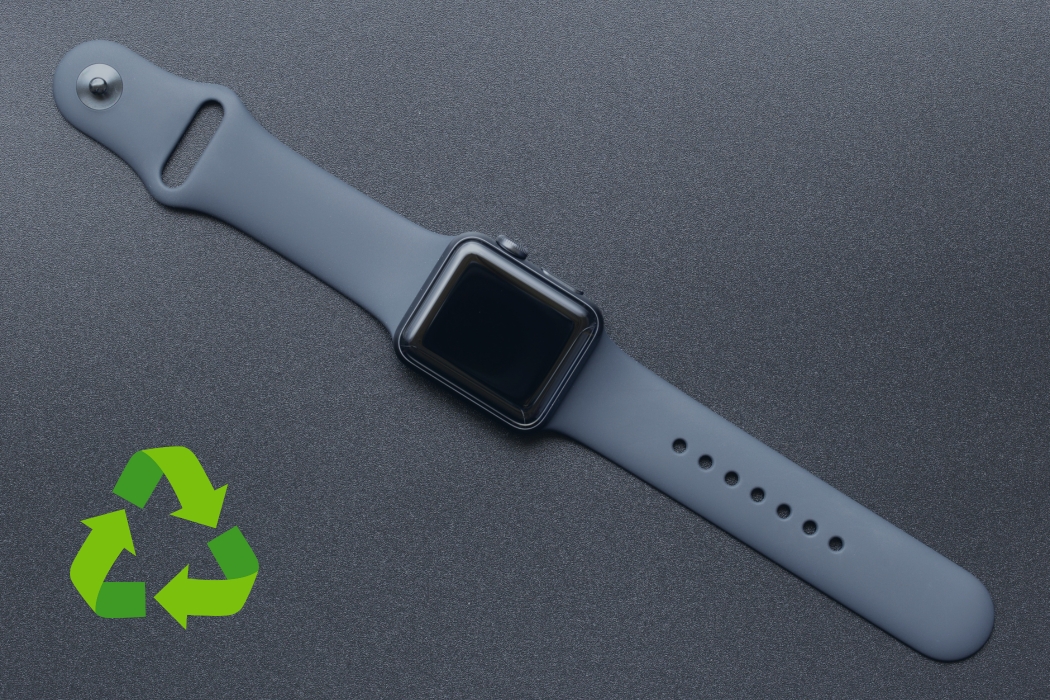
Apple watch recycling is the easiest “small device” upgrade you can make for the environment—because this thing isn’t just a watch, it’s a sealed battery-powered electronic. That tiny size is exactly why it gets tossed casually, and that’s where problems start: built-in lithium batteries don’t belong in trash or scrap. In this guide, you’ll see what to do before you recycle, the best recycling paths, what to do with bands/chargers, and what records businesses should keep so disposal is clean and documented.
If you’re ready to stop stockpiling old Apple gear, EACR Inc. is an electronics recycling company in NJ that can help you recycle devices safely with pickup or drop-off options and clear documentation when you need it. For next steps, use our guides on MacBook recycling, iPad recycling, AirPods recycling, and iPod recycling to prep your device the right way before it leaves your hands.
Quick Answer — Can You Recycle an Apple Watch?
Yes. Treat an Apple Watch like battery-powered electronics: recycle it through an electronics recycling program—not the trash and not scrap metal.
For organizations, treat it like a mini IT retirement: basic counts + controlled handoff + documentation (so you can prove what left your site and where it went).
The big reason it’s not “bin simple”
Apple Watches have a built-in lithium battery. If it gets crushed, punctured, or compacted (trash trucks, dumpsters, “junk drawer dumps”), it can create a real fire risk.
Small device, same rules: it still needs proper electronics recycling because it’s still e-waste—just in a smaller package.
What Counts as an Apple Watch “Recycling Item” (What to Include)
The watch itself
Recycle the watch body in any condition:
- Any series/model
- Cracked screens
- Dead units that won’t power on
- Devices that won’t hold a charge
Accessories people forget
These add up fast—bundle them intentionally instead of leaving them in drawers:
- Magnetic chargers and charging cables
- Charging docks
- Power adapters (if you’re including them)
Bands (recycle vs trash vs reuse):
- Silicone / fluoroelastomer bands: usually best to reuse if clean and wearable; recycling options vary because they’re often mixed plastics/rubbers.
- Leather bands: typically reuse if in good condition; recycling is limited for most leather + hardware blends.
- Metal link bands: generally the easiest to recycle because the metal can be processed as a metal stream (keep it separate from the watch body if you can).
Packaging you should remove
Before you hand anything off, strip off the stuff that complicates sorting:
- Cases
- Screen protectors
- Third-party clips/covers
Those materials are usually handled differently than the watch itself, so keeping them separate makes downstream processing cleaner.
Why You Shouldn’t Throw an Apple Watch in the Trash
Apple watch recycling matters because tossing a smartwatch is basically tossing a sealed lithium battery into a system designed to crush things.
- Battery fire risk: Garbage trucks, compactors, and transfer stations crush and compress waste. A punctured lithium battery can ignite fast.
- Landfill isn’t a “safe storage” plan: Watches contain metals, plastics, circuitry, and battery chemistry that don’t belong in landfills.
- For businesses and schools: Throwing e-waste in the trash turns into avoidable headaches—missing documentation, messy audits, and “where did it go?” reporting problems later.
Data + Privacy Basics
What “data” is actually on an Apple Watch
Think: not files like a laptop—but still personal and sensitive.
- Health/fitness data (activity, heart metrics, etc.)
- Messages/notifications and app data
- Device identifiers and account associations
Risk is higher if the watch was paired to a business-managed phone, enrolled in device management, or tied to an org-controlled Apple ID/account.
Before you recycle: offboarding checklist
Do this once and you’re done—no drama.
- Unpair from iPhone (this removes Activation Lock)
- Sign out / remove from Apple ID where applicable
- Factory reset / erase all content
- Remove sensitive asset labels (if your org tags devices)
Business baseline documentation to keep
Minimum set that saves you later:
- Site/location, date, unit count
- Who authorized retirement
- Any service record/receipt from the recycler
Apple Watch Battery Risk
Why watches need controlled handling
Apple Watches are small, sealed, and easy to crush in a “junk drawer dump.” That’s the problem: small lithium battery + sealed device + casual handling.
Damaged/swollen watch rules
If it’s cracked, swollen, or acting weird:
- Don’t charge it
- Isolate it, label it “damaged,” and keep it away from other batteries/devices
- Route it through a controlled electronics recycling program (not a random bin)
How to Prepare an Apple Watch for Recycling
Step 1 — Keep it intact
Don’t open it. Don’t try to remove the battery. Sealed devices are not DIY-friendly and forcing it can create a safety issue.
Step 2 — Separate by category
Keep sorting simple:
- Watch bodies in one container
- Chargers/cables in another
- Bands separated (metal vs soft materials)
Step 3 — Pack it so it won’t get crushed
- Use a small box/tote with light padding
- Don’t overstack
- Keep damaged units in their own labeled bag/container
Recycling Options — The Three Most Common Paths
Option 1 — Drop-off (best for small quantities)
Good for a few watches and accessories.
Downside: paperwork can be inconsistent depending on the location and how they issue receipts.
Option 2 — Mail-in programs (small-to-medium volumes)
Predictable logistics if you can package properly.
Downside: not ideal for mixed-condition bulk lots (especially damaged items).
Option 3 — Scheduled pickup (best for business volume)
Best for offices, schools, and multi-site rollouts.
Cleaner chain-of-custody and typically more consistent documentation.
What Happens After Collection
Intake + sorting
- Watch bodies separated from cables/bands/accessories
- Damaged battery-powered units flagged for controlled routing
Processing overview
- Demanufacturing and materials separation (electronics, metals, plastics)
- Battery stream routed through appropriate downstream partners
Rules and Compliance
Why it’s confusing: state rules + program acceptance rules + transport expectations don’t always line up neatly.
What matters in practice: controlled handling, proper routing, and documentation that matches what left your site.
Minimum records to keep
- Site/location, removal date, counts by category
- Drop-off receipt or pickup/service record
- Recycling documentation for internal reporting
Frequently Asked Questions on Apple Watch Recycling
Can I throw an Apple Watch in the trash?
No. It’s a battery-powered electronic and shouldn’t go into trash or scrap.
Do I need to erase my Apple Watch before recycling?
Yes—unpair it and erase it. That’s the cleanest way to remove personal/account links.
What if my Apple Watch won’t turn on—can I still remove my data?
Usually yes if it’s still paired: remove it from your phone/account (unpair/remove device) so it’s no longer associated with you, then recycle it.
Can I recycle bands and chargers too?
Yes. Chargers/cables are standard e-waste. Bands depend on material—metal bands recycle easiest; soft bands are usually reuse-first.
Is a broken screen or dead battery still recyclable?
Yes. In fact, that’s the most common reason people recycle them.
What’s the easiest option for bulk Apple Watches from a workplace or school?
Scheduled pickup—because it’s faster, cleaner, and typically comes with better documentation.
Conclusion
Recap: erase/unpair, treat it as battery-powered e-waste, keep devices intact, and choose the recycling path that matches your volume.
EACR Inc. helps individuals and organizations handle apple watch recycling safely with pickup or drop-off options—and clear documentation that matches what leaves your site. Contact us today!